
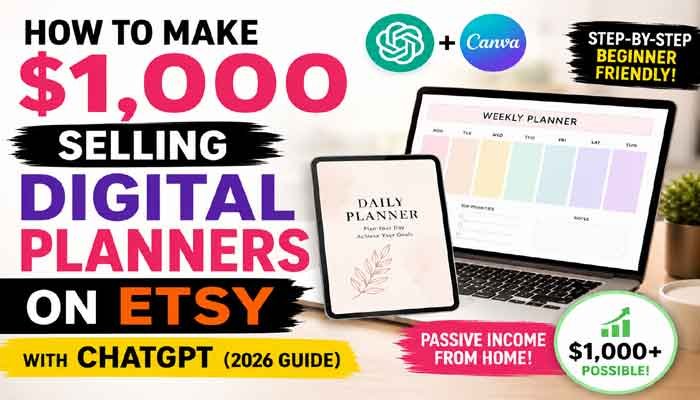
Selling digital products has become an attractive side hustle because you can create a product once and sell it multiple times without dealing with physical inventory or shipping. One popular option is to sell digital planners on Etsy, where buyers actively search for printable planners, budget trackers, student organizers, fitness journals, and other downloadable tools.
You don’t need to be a professional designer to get started. With ChatGPT for brainstorming and Canva for designing, beginners can create useful digital planner products without starting from a completely blank page.
That said, earning $1,000 is not guaranteed. Your results will depend on product quality, demand, pricing, competition, marketing, and how well you optimize your Etsy listings.
Here’s how the process works.
If you are looking for a low-cost online business idea, learning how to sell digital planners on Etsy can be a practical place to start.
Choose a Specific Digital Planner Niche
The first step is deciding exactly who your planner is for.
A common beginner mistake is creating a generic planner for everyone. A more focused product usually has a clearer purpose and target customer.
For example, instead of creating a simple “daily planner,” you could create a planner for:
- College students managing assignments and exams
- People following a fitness routine
- Freelancers organizing client work
- Families managing household budgets
- Content creators planning social media posts
- People working toward savings or debt payoff goals
When you sell digital planners on Etsy for a specific audience, your product can better match what buyers are searching for.
Read Also This : Stop Wasting Time! How to Earn Money by Just Playing Games in 2026
Popular Digital Planner Ideas
Here are a few examples to consider:
- Student Planner: Class schedules, assignment trackers, exam preparation pages, and grade logs.
- Fitness Planner: Workout logs, meal planners, habit trackers, and progress pages.
- Budget Planner: Monthly budgets, expense trackers, savings goals, and debt payoff pages.
- Content Planner: Content calendars, posting schedules, idea banks, and performance trackers.
- Wedding Planner: Budget pages, guest lists, vendor trackers, and event timelines.
The goal is not to copy existing products. Look for ways to create something genuinely useful, clear, and tailored to a particular type of buyer.
Use ChatGPT to Plan Your Digital Planner
One of the hardest parts of creating a new product is deciding what to include.
ChatGPT can help you brainstorm the structure of your planner and organize the pages before you start designing.
For example, you could use a prompt like:
“Create a page-by-page outline for a digital student planner designed for college students. Include schedules, assignments, goals, habits, and exam preparation.”
You can then review the suggestions and decide which pages are actually useful for your audience.
For a student planner, you might include:
- Monthly calendar pages
- Weekly schedules
- Assignment trackers
- Exam preparation pages
- Goal-setting worksheets
- Habit trackers
- Notes pages
ChatGPT can save time during the planning stage, but you should still review and customize the content. Your final product should feel useful and thoughtfully designed rather than automatically generated.
Design Your Planner in Canva
Once you have your page outline, you can start creating the actual planner.
Canva is a beginner-friendly design platform that allows you to create layouts, organize pages, add text, and customize templates.
Keep these design principles in mind:
Keep the Layout Clean
Avoid filling every page with unnecessary decorations. A planner should be easy to read and simple to use.
Choose Readable Fonts
Fancy fonts may look attractive, but readability is more important. Make sure customers can easily understand headings, labels, and sections.
Leave Enough Writing Space
If customers plan to print the planner or use it on a tablet, they need enough room to write, type, or add notes.
Create a Consistent Style
Use similar fonts, spacing, and design elements throughout the planner. A consistent design can make the product look more professional.
When the design is finished, export it in an appropriate format, such as PDF, depending on how you plan to deliver and market the product.
Prepare Your Digital Files Carefully
Before uploading anything, test your product.
Open the PDF and check every page. Look for:
- Spelling mistakes
- Broken links, if your planner includes navigation
- Incorrect page sizes
- Misaligned elements
- Blank or duplicate pages
- Text that is too small to read
If you are selling a printable planner, consider whether common paper sizes are supported. If you are creating a digital planner for tablet apps, make sure the format and features match what you advertise.
Small details can make a big difference in customer satisfaction.
Create Your Etsy Digital Product Listing
Once your planner is ready, you can create a digital listing on Etsy.
Your listing should clearly explain what the customer will receive.
Include information such as:
- Number of pages
- File format
- Whether the product is printable or designed for digital use
- Supported paper or screen sizes
- Whether the item is editable
- What is included with the purchase
Clear information can reduce confusion and help buyers make informed decisions.
To successfully sell digital planners on Etsy, your product listing should clearly explain what buyers will receive and why the planner is useful.
Use Better Etsy Keywords
Keywords are important when you want buyers to discover your product.
Before publishing, think about the phrases a potential customer might search for.
For example:
- Printable student planner
- Digital planner for iPad
- Budget tracker PDF
- Fitness workout planner
- Social media content planner
- Weekly productivity planner
Use relevant phrases naturally in your product title, description, categories, and tags.
If your product is a budget planner, avoid adding unrelated keywords simply because they are popular. Accurate keywords can help attract buyers who are actually interested in what you are selling.
Create High-Quality Preview Images
Customers cannot physically touch a digital product before purchasing it, so your preview images are extremely important.
Show:
- The planner cover
- Several inside pages
- Important features
- What the file looks like on a tablet, if relevant
- A clear overview of what buyers receive
You can create simple mockups in Canva to present your planner professionally.
Make sure your preview images accurately represent the final product. Avoid showing features that are not included in the purchase.
Price Your Digital Planner Strategically
There is no single perfect price.
Before setting a price, research similar products and consider:
- Product complexity
- Number of pages
- Your target audience
- Competition
- The value your planner provides
A simple planner may be priced differently from a detailed bundle containing multiple templates and additional resources.
Instead of focusing only on being the cheapest option, focus on creating a product that provides clear value.
Before you sell digital planners on Etsy, research similar products and focus on creating enough value to justify your price.
Create More Than One Product
One product can generate sales, but building a larger collection gives you more opportunities to reach different customer searches.
For example, after creating a student planner, you could expand with:
- Study trackers
- Exam planners
- Assignment templates
- Goal-setting worksheets
- Note-taking templates
You can also create bundles where appropriate.
The key is to build products around related customer needs instead of uploading random templates with no clear strategy.
Can You Really Make $1,000 Selling Digital Planners on Etsy?
Yes, it is possible for a digital product business to generate $1,000 or more in revenue, but it should not be treated as guaranteed income.
Your results can depend on several factors:
- Product demand
- Pricing
- Number of listings
- Product quality
- Etsy search visibility
- Competition
- Customer reviews
- Seasonal demand
- External marketing
For example, if you sell digital planners on Etsy for an average price of $10, reaching $1,000 in revenue would require approximately 100 sales before accounting for applicable fees, refunds, taxes, or other business expenses.
This makes the goal easier to understand and gives you a practical target to work toward.
Common Mistakes to Avoid
Before launching your store, try to avoid these common mistakes:
Copying Other Sellers
Use competitors for research and inspiration, but create your own original product.
Ignoring Customer Needs
A beautiful design is not enough if the planner is difficult to use.
Using Misleading Product Images
Clearly show what buyers will actually receive.
Keyword Stuffing
Final ThoughtsAdding the same keyword repeatedly can make your listing look unnatural. Use relevant phrases where they make sense.
Expecting Instant Results
Digital product businesses usually require testing, improving listings, and creating additional products over time.
Final Thoughts
Learning how to sell digital planners on Etsy can be a practical way to explore the digital product business model. ChatGPT can help you brainstorm and organize your ideas, while Canva can make the design process easier for beginners.
The real work, however, is understanding your target audience and creating products that solve a useful problem.
Rather than expecting instant or guaranteed income, focus on creating one quality product, learning from the results, improving your listings, and gradually building a useful product collection.
With consistency, research, and a customer-focused approach, selling digital planners can become a scalable online side hustle in 2026.
With the right niche, useful design, and consistent effort, you can sell digital planners on Etsy and gradually build a scalable digital product business.
Article mein ChatGPT aur Canva dono relevant hain. Ek ya dono ko normal external links dein.