
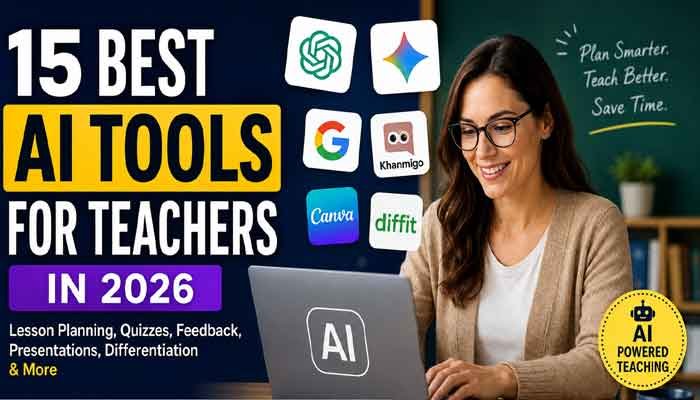
Artificial intelligence is quickly becoming part of everyday teaching. In 2026, teachers can use AI to create lesson plans, develop quizzes, prepare presentations, simplify difficult reading materials, translate classroom resources, analyze student writing, and provide more personalized feedback.
But not every AI tool is equally useful for educators. Some are designed specifically for classrooms, while others are general-purpose AI assistants that require more careful prompting and teacher supervision.
This guide explores the best AI tools for teachers in 2026, including tools for lesson planning, assessment, student feedback, differentiation, research, presentations, and classroom engagement.
The best AI Tools for Teachers can help educators reduce repetitive work while spending more time on actual teaching and student interaction.
For educators looking to save preparation time, AI Tools for Teachers can make everyday classroom tasks faster and more organized.
Read Also This : 10 Best AI Apps in 2026: Top AI Tools Worth Using
Why Are AI Tools Becoming Important for Teachers?
Teachers spend a significant amount of time on tasks outside direct classroom instruction. Lesson preparation, grading, feedback, emails, worksheets, quizzes, reports, and administrative work can consume hours every week.
AI can help reduce some of this workload.
For example, an educator can use an AI assistant to create a first draft of a lesson plan and then modify it according to the students’ needs. Another tool can help turn an article into guided notes, while an assessment tool can generate questions based on a particular topic.
The goal is not simply to automate teaching. The bigger opportunity is to give teachers more time for the parts of education that require human judgment, relationships, creativity, and classroom experience.
What Can AI Tools for Teachers Do?
Modern AI teaching tools can help educators with:
- Lesson planning
- Worksheet creation
- Quiz generation
- Student feedback
- Writing analysis
- Differentiated instruction
- Reading-level adjustment
- Translation
- Presentation creation
- Research and summarization
- Classroom activities
- Progress reports
- IEP and intervention planning
- Administrative communication
- Personalized learning
The best tool depends on what a teacher actually needs.
15 Best AI Tools for Teachers in 2026
1. Brisk Teaching
Best for: All-around teacher productivity
Brisk Teaching is an education-focused AI platform designed around real teacher workflows. Its current tool library includes resources for creating instructional materials, giving feedback, differentiating content, supporting student learning, and handling administrative tasks.
Teachers can use Brisk for tasks such as lesson planning, quizzes, presentations, rubrics, feedback, text leveling, translation, and educational resource creation.
Its Lesson Plan Generator can help teachers create lesson plans, while tools such as Quiz Maker, Presentation Maker, Text Leveler, and Teaching Resource Maker address different parts of classroom preparation.
Brisk also offers student-facing tools through Brisk Boost and web-based tools for schools and administrators.
Brisk Teaching is one of the most useful AI Tools for Teachers for lesson planning, feedback, quizzes, differentiation, and classroom resources.
Best use case: Teachers who want multiple AI teaching functions in one ecosystem.
2. ChatGPT for Teachers
Best for: Writing, brainstorming, lesson preparation, and general teaching support
ChatGPT has become one of the most flexible AI assistants available to educators.
OpenAI introduced ChatGPT for Teachers as a secure workspace designed specifically for educators and school leaders. The offering is available free to verified U.S. K–12 educators through June 2028, according to OpenAI.
Teachers can use an AI assistant for:
- Lesson-plan ideas
- Brainstorming classroom activities
- Creating discussion questions
- Drafting parent communications
- Generating examples
- Simplifying explanations
- Creating differentiated materials
- Creating rubrics
- Reviewing drafts
- Developing project ideas
The important point is that teachers should treat AI output as a starting point rather than automatically accepting every generated answer.
Among general-purpose AI Tools for Teachers, ChatGPT is useful for brainstorming, lesson preparation, writing assistance, and creating classroom activities.
Best use case: Flexible everyday teaching assistance.
3. Google Gemini for Education
Best for: Teachers working with Google Workspace
Gemini for Education is Google’s AI offering for the education environment.
Google says Gemini can help educators save time, create personalized learning experiences, generate ideas, and support learning in a private and secure environment.
This can be especially useful for teachers already using Google Workspace tools such as Docs, Slides, Drive, Gmail, and Classroom.
Teachers can use Gemini for:
- Brainstorming lessons
- Creating instructional content
- Summarizing information
- Generating ideas
- Drafting communications
- Supporting research
- Creating differentiated learning materials
Google has also introduced AI capabilities in Classroom, including Gemini-powered teaching and learning features.
Best use case: Educators already working inside the Google ecosystem.
Google Gemini is another option for teachers looking for AI Tools for Teachers that work well with Google Workspace.
4. NotebookLM
Best for: Research and working with source materials
NotebookLM is particularly useful when teachers need to work with specific documents rather than asking a general chatbot about a topic.
Google describes Gemini Notebook/NotebookLM as an AI-powered research and thinking partner that can help educators and students with research, long documents, writing feedback, and knowledge sharing.
A teacher could use source materials such as:
- Curriculum documents
- Research papers
- PDFs
- Class notes
- Textbooks
- School documents
The advantage is that the teacher can organize information around a defined collection of sources rather than relying entirely on general web knowledge.
Best use case: Research-heavy teaching and document analysis.
5. MagicSchool AI
Best for: Teacher-focused AI workflows
MagicSchool is built around education-specific workflows rather than being only a general chatbot.
Teachers can use education-focused AI features for lesson planning, assessment, differentiation, communication, and other classroom tasks.
The major advantage of specialized teacher platforms is that the prompts and workflows are designed around common educational tasks.
Best use case: Teachers who want ready-made education workflows instead of writing complex AI prompts.
6. Khanmigo
Best for: Guided student learning and tutoring
Khanmigo is associated with Khan Academy and focuses heavily on AI-supported learning.
Instead of simply providing answers, AI tutoring systems can be designed to guide students through questions and explanations.
This approach is important because one of the major concerns about AI in education is that students may use chatbots as shortcuts rather than learning the underlying concept.
Modern education-focused AI is increasingly moving toward systems that encourage students to reason, explain, and solve problems instead of simply receiving answers.
Best use case: Guided learning and tutoring.
7. Diffit
Best for: Differentiated instruction
Different students can have very different reading levels and learning needs.
Differentiation tools can help teachers adapt the same topic for different groups of students.
For example, a teacher could take a complex reading passage and create versions with:
- Different reading levels
- Vocabulary support
- Comprehension questions
- Discussion prompts
- Student activities
This can save teachers considerable preparation time.
Differentiation is another area where AI Tools for Teachers can save preparation time.
Best use case: Supporting mixed-ability classrooms.
8. Canva for Education
Best for: Visual classroom content
Teachers increasingly need visually engaging presentations, worksheets, posters, infographics, and classroom resources.
Canva can help educators create visual teaching materials without requiring advanced graphic-design skills.
AI features can further speed up content creation and help transform ideas into presentations and educational graphics.
Best use case: Visual lessons, presentations, worksheets, and classroom graphics.
9. Curipod
Best for: Interactive lessons
Curipod focuses on interactive teaching experiences.
Rather than relying only on traditional slides, teachers can create activities designed to encourage student participation.
Interactive lesson formats can include questions, discussions, polls, and other engagement activities.
Best use case: Increasing classroom participation.
10. Eduaide.AI
Best for: Lesson and resource planning
Eduaide.AI is designed around educators and can help create instructional resources.
Teachers can use AI-assisted workflows to generate lesson materials, classroom activities, assessments, and other educational content.
The biggest advantage is reducing the amount of time required to start from a blank page.
Best use case: Creating classroom resources quickly.
11. Gradescope
Best for: Assessment and grading workflows
Grading can be one of the most time-consuming responsibilities for teachers.
Assessment technology can help organize grading workflows and provide more consistent evaluation.
Tools in this category are particularly useful for educators handling large numbers of assignments or assessments.
Best use case: Streamlining assessment and grading.
12. Brisk Feedback Tools
Brisk’s current platform includes several feedback-focused tools, including Glow & Grow Feedback, Next Steps Feedback, Rubric Criteria Feedback, Targeted Feedback Generator, and Feedback Insights.
These tools are designed around different feedback situations.
For example, rubric-based feedback can help connect comments to specific assessment criteria, while targeted feedback can generate personalized comments inside student documents.
Best use case: Teachers who want faster and more structured student feedback.
13. AI Presentation Makers
Creating classroom presentations can take significant preparation time.
AI presentation tools can turn a topic, outline, article, or lesson idea into a structured presentation.
Brisk’s Presentation Maker, for example, can create Google Slides presentations from an idea, article, website, or video.
Teachers should still review generated slides carefully because AI can introduce factual errors, inappropriate examples, or weak explanations.
Best use case: Quickly preparing first-draft presentations.
14. AI Translation and Text-Leveling Tools
Today’s classrooms can include students with different language backgrounds and reading abilities.
AI can help teachers adapt educational content to these differences.
Brisk’s current Text Translation Tool supports 58 languages, while its Text Leveler is designed to adjust text to match student reading abilities.
This can be useful for:
- English-language learners
- Multilingual classrooms
- Reading intervention
- Differentiated instruction
- Parent communication
Best use case: Making the same educational content more accessible to different learners.
15. AI Quiz and Worksheet Generators
Teachers frequently need new questions, worksheets, practice exercises, and formative assessments.
AI can create a first draft of these materials in seconds.
For example, Brisk’s Quiz Maker can create quizzes in Google Forms and Docs with embedded answer keys.
Teachers should always check the questions and answers before assigning them because AI-generated assessments can contain ambiguous wording or incorrect information.
Best use case: Creating practice activities and formative assessments.
How Teachers Can Use AI Without Replacing Real Teaching
The best approach is to think of AI as a teaching assistant rather than a replacement for the teacher.
A practical workflow looks like this:
Step 1: Give AI the teaching context
Instead of asking:
“Create a lesson about photosynthesis.”
Give more context:
“Create a 45-minute Grade 7 science lesson about photosynthesis for mixed-ability students. Include a warm-up, explanation, group activity, five formative assessment questions, and an exit ticket.”
The more useful context you provide, the more useful the first draft is likely to be.
Step 2: Review the AI output
Never assume AI-generated educational content is automatically correct.
Check:
- Facts
- Calculations
- Sources
- Reading level
- Curriculum alignment
- Cultural context
- Age appropriateness
- Assessment quality
Step 3: Add your teaching experience
AI does not know your classroom the way you do.
Add examples that your students understand. Modify activities according to classroom behavior, available resources, student needs, and your teaching style.
Step 4: Test the material
Before giving an AI-generated worksheet or quiz to students, complete it yourself.
This can reveal:
- Incorrect answers
- Confusing questions
- Repeated questions
- Unclear instructions
- Incorrect difficulty levels
Step 5: Use AI to improve—not eliminate—student thinking
The strongest educational use of AI is not necessarily “give me the answer.”
Instead, teachers can ask AI to generate:
- Hints
- Socratic questions
- Alternative explanations
- Practice problems
- Reflection questions
- Feedback prompts
This helps students remain active participants in the learning process.
AI in Education: What Has Changed in 2026?
AI adoption in education has moved beyond simple experimentation.
In August 2026, OpenAI announced 55 new partnerships with U.S. school districts for ChatGPT for Teachers, bringing the initiative’s reach to more than 300,000 educators and 2 million students across participating districts. The product is currently designed for educators rather than student accounts.
At the same time, schools are increasingly focusing on AI literacy.
Recent reporting from the Associated Press highlights how schools are teaching students to understand AI limitations, verify outputs, and use AI responsibly rather than simply banning the technology. The report notes that 37 U.S. states have issued some form of AI guidance.
This suggests an important shift:
The question is no longer simply whether teachers should use AI. The bigger question is how teachers can use it responsibly and effectively.
AI Tools for Teachers and Student Privacy
Privacy should be one of the first considerations before using any AI tool with student information.
Teachers should avoid entering sensitive student information into consumer AI tools unless the school or district has approved the platform and its data practices.
Before using an AI service, check:
- What information does the platform collect?
- Is student data stored?
- Is data used for model training?
- Does the school have an approved agreement?
- What privacy protections are available?
- Does the platform comply with applicable education privacy requirements?
For U.S. schools, student privacy and FERPA requirements are particularly important. The U.S. Department of Education provides resources dedicated to student privacy and FERPA.
Can AI Replace Teachers?
No—not in the way many people imagine.
AI can generate content, summarize documents, create questions, analyze writing, and assist with repetitive work. But teaching involves much more than producing information.
Teachers provide:
- Human relationships
- Motivation
- Emotional support
- Classroom management
- Professional judgment
- Context
- Mentoring
- Social learning
- Real-time observation
Research and current education discussions increasingly emphasize that AI works best when it supports human teaching rather than attempting to replace it.
A recent 2026 research framework on generative AI literacy for K–12 teacher education emphasizes technical fluency, critical evaluation, human-AI collaboration, contextual awareness, ethical reasoning, and teacher agency as interconnected capabilities.
Best AI Tool for Teachers: Which One Should You Choose?
There is no single best AI tool for every teacher.
When selecting AI Tools for Teachers, educators should consider ease of use, student privacy, accuracy, curriculum alignment, and the specific needs of their classroom.
| Teacher Need | Recommended Type |
|---|---|
| Lesson planning | Brisk, ChatGPT, Gemini |
| General AI assistance | ChatGPT |
| Google Workspace users | Gemini |
| Research and documents | NotebookLM |
| Differentiated instruction | Diffit |
| Interactive lessons | Curipod |
| Visual resources | Canva |
| AI tutoring | Khanmigo |
| Teacher-specific workflows | MagicSchool |
| Feedback | Brisk |
| Quizzes | Brisk and AI quiz tools |
| Presentations | Brisk and Canva |
| Translation | Brisk and translation tools |
| Assessment | Gradescope and assessment platforms |
The right AI Tools for Teachers can support lesson preparation, assessment, differentiation, feedback, and personalized learning without replacing the teacher’s role.
How to Choose the Right AI Tool for Your Classroom
Before adopting an AI tool, ask five questions:
1. Does it solve a real problem?
Do not use AI simply because it is popular.
Choose a tool because it saves time, improves accessibility, supports learning, or solves a specific classroom problem.
2. Is it easy to use?
A tool that saves five minutes but requires thirty minutes of setup may not be worth using.
3. Can you verify its output?
Teachers should be able to review and correct AI-generated material before it reaches students.
4. Does it protect student information?
Privacy should be considered before entering student data.
5. Does it improve learning?
The most important question is not whether AI creates content quickly.
The important question is whether the resulting activity helps students understand, practice, think, create, communicate, or solve problems.
Final Verdict: Are AI Tools for Teachers Worth Using in 2026?
Yes, when used thoughtfully.
The strongest AI tools for teachers in 2026 are not simply content generators. The most useful platforms are becoming workflow assistants that can help educators plan lessons, create resources, differentiate instruction, provide feedback, analyze materials, and support student learning.
Brisk Teaching is particularly interesting for teachers who want multiple education-specific tools in one platform, while ChatGPT and Gemini offer broader AI assistance. NotebookLM is useful for source-based research, and specialized platforms such as Diffit, Curipod, Canva, Khanmigo, and MagicSchool can address specific teaching needs.
The key is not to automate the teacher.
Use AI to automate repetitive work so teachers can spend more time doing the work that only teachers can do.
Frequently Asked Questions
What are the best AI tools for teachers in 2026?
Some of the most useful options include Brisk Teaching, ChatGPT, Gemini for Education, NotebookLM, MagicSchool, Khanmigo, Diffit, Curipod, Canva for Education, and Eduaide.AI. The best choice depends on the teacher’s specific needs.
What is the best free AI tool for teachers?
There is no universal winner. Brisk offers a range of free AI tools for educators, while general-purpose AI assistants can also be useful depending on availability and school policies.
Can teachers use ChatGPT?
Yes. Teachers can use ChatGPT for brainstorming, lesson planning, writing assistance, classroom activities, differentiation, and other educational tasks. OpenAI also offers ChatGPT for Teachers for verified U.S. K–12 educators.
Is AI safe for students?
AI can be useful, but safety depends on the platform, settings, school policies, privacy protections, and how the technology is used. Teachers should avoid sharing sensitive student information with unapproved services.
Can AI create lesson plans?
Yes. AI tools can create lesson-plan drafts based on subject, grade level, learning objectives, standards, lesson duration, and student needs. Teachers should review and customize the final plan.
Can AI grade student assignments?
Some AI-powered education platforms can assist with grading, rubric-based feedback, and assessment workflows. However, teachers should maintain oversight, especially for high-stakes assessments.
Will AI replace teachers?
AI is more likely to change teachers’ workflows than eliminate the teaching profession. Human judgment, relationships, classroom management, mentorship, and emotional support remain central to education.
In 2026, AI Tools for Teachers are becoming practical classroom assistants rather than simple content generators.