
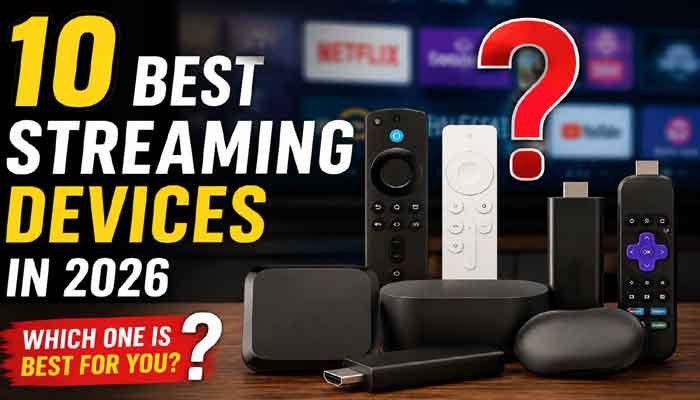
If you are searching for the best streaming devices, choosing the right option depends on your TV, streaming services, picture quality and budget. From affordable streaming sticks to powerful 4K streaming boxes, today’s best streaming devices offer an easy way to upgrade your entertainment setup.
Finding the best streaming devices can make a big difference if your smart TV feels slow, has an outdated interface, or doesn’t support all the apps you want to use.
A good streaming device can give your TV quick access to popular entertainment services such as Netflix, Prime Video, YouTube, Disney+, Hulu and more. The good news is that you don’t necessarily need to spend a lot of money to get a smooth streaming experience.
For this guide, we’ve selected 10 popular streaming devices available for the Amazon USA market, including Roku, Amazon Fire TV, Apple TV, Google TV and NVIDIA Shield options.
Whether you need an affordable streaming stick or a premium 4K streaming box, there’s an option here for almost every type of viewer.
Read Also This : Samsung Galaxy Z Fold 8 Raises the Bar for Foldable Smartphones
Quick List: 10 Best Streaming Devices
| Rank | Streaming Device | Best For |
|---|---|---|
| 1 | Roku Streaming Stick Plus | Best Overall Value |
| 2 | Google TV Streamer 4K | Best Google TV Device |
| 3 | Apple TV 4K | Best Premium Option |
| 4 | Amazon Fire TV Stick 4K Max | Best for Alexa Users |
| 5 | Roku Ultra | Best Premium Roku |
| 6 | Amazon Fire TV Cube | Best Powerful Fire TV |
| 7 | NVIDIA Shield TV Pro | Best for Power Users |
| 8 | Roku Streaming Stick 4K | Best Roku 4K Alternative |
| 9 | Amazon Fire TV Stick 4K Select | Best Affordable Fire TV |
| 10 | Amazon Fire TV Stick HD | Best for 1080p TVs |
1. Roku Streaming Stick Plus – Best Overall Value
The Roku Streaming Stick Plus is one of the easiest streaming devices to recommend to everyday TV viewers.
Its biggest advantage is simplicity. Roku’s interface is straightforward, so you can quickly find your favorite streaming services without dealing with unnecessary menus.
It also supports 4K streaming, making it a practical choice for people who have upgraded to a 4K television but don’t want to spend a lot on a premium streaming box.
Engadget currently highlights the Roku Streaming Stick Plus as a strong option for free and live content, while Tom’s Guide also ranks it highly among current streaming devices.
Among the best streaming devices, Roku Ultra is a strong choice for viewers who want a simple interface and reliable performance.
Why we like it:
- 4K streaming support
- Compact design
- Simple Roku interface
- Good choice for everyday streaming
- Works well for multiple streaming services
- Excellent value for the money
Best for: Most households looking for an affordable 4K streaming device.
Check latest Amazon price:
Roku Streaming Stick Plus on Amazon USA
2. Google TV Streamer 4K – Best Google TV Device
The Google TV Streamer 4K is an excellent choice for people who use Android phones, Google services or Google Home products.
Instead of simply showing a list of apps, Google TV focuses heavily on bringing movies and shows from different streaming services together. This makes it easier to discover something to watch without opening every individual app.
The device supports 4K video, HDR, Dolby Vision and Dolby Atmos. Engadget also praises its interface and Google Home integration.
For Android users, this is one of the best streaming devices for combining Google services with 4K entertainment.
Why we like it:
- 4K streaming
- Google TV interface
- 32GB storage
- Google Home integration
- Dolby Vision support
- Dolby Atmos support
- Useful content recommendations
Best for: Android and Google ecosystem users.
Check latest Amazon price:
Google TV Streamer 4K on Amazon USA
3. Apple TV 4K – Best Premium Streaming Device
If you already use an iPhone, iPad or Mac, the Apple TV 4K is one of the best premium streaming devices you can buy.
Apple focuses heavily on performance and ecosystem integration. Apps load quickly, navigation feels smooth, and the device works particularly well with other Apple products.
It costs more than many streaming sticks, but the higher price may be worthwhile for Apple users who want a fast and polished entertainment experience.
Tom’s Guide notes that Apple TV 4K offers extremely strong performance and is particularly attractive to Apple users.
Apple TV 4K remains one of the best streaming devices for users who already own Apple products.
Why we like it:
- Excellent performance
- 4K HDR video
- Premium user experience
- Strong Apple ecosystem integration
- Great choice for iPhone users
- Suitable for high-end home theaters
Best for: Apple users who want a premium streaming experience.
Check latest Amazon price:
Apple TV 4K on Amazon USA
4. Amazon Fire TV Stick 4K Max – Best for Alexa Users
The Amazon Fire TV Stick 4K Max is a strong choice for people who already use Amazon services and Alexa devices.
Amazon describes the second-generation model as its most powerful 4K streaming stick, with Wi-Fi 6E, 16GB storage, Dolby Vision, HDR10+ and Dolby Atmos support.
Its small stick design makes it easy to install behind your television, while the Alexa Voice Remote provides convenient voice control.
One important point for shoppers: Amazon has recently changed pricing across several Fire TV products, so checking the current Amazon price before purchasing is recommended.
For Amazon and Alexa users, the Fire TV Stick 4K Max is one of the best streaming devices to consider.
Why we like it:
- 4K Ultra HD
- Wi-Fi 6E
- 16GB storage
- Dolby Vision
- Dolby Atmos
- Alexa voice control
- Compact design
Best for: Amazon Prime and Alexa users.
Check latest Amazon price:
Amazon Fire TV Stick 4K Max on Amazon USA
5. Roku Ultra – Best Premium Roku Device
If you like Roku but want something more powerful than a basic streaming stick, the Roku Ultra is worth considering.
It provides a more traditional streaming-box design and is aimed at viewers who want a premium Roku experience.
The main advantage of choosing Roku is its straightforward interface and broad selection of streaming services.
Why we like it:
- Fast Roku experience
- 4K streaming
- HDR support
- Easy-to-use interface
- Voice-enabled remote
- Excellent for multiple streaming services
Best for: Roku fans who want a premium streaming player.
Check latest Amazon price:
Roku Ultra on Amazon USA
6. Amazon Fire TV Cube – Best Powerful Fire TV Device
The Amazon Fire TV Cube is designed for people who want more than a basic streaming stick.
It combines a powerful Fire TV experience with hands-free Alexa functionality. This makes it particularly useful if your home already contains several Alexa-compatible smart devices.
The Fire TV Cube also supports 4K streaming and can be a good choice for a larger home entertainment setup.
Amazon continues to list the Fire TV Cube among its current Fire TV devices.
Why we like it:
- Powerful performance
- 4K streaming
- Hands-free Alexa
- Smart-home integration
- Good for home theater setups
Best for: Alexa users and people who want a more powerful Fire TV setup.
Check latest Amazon price:
Amazon Fire TV Cube on Amazon USA
7. NVIDIA Shield TV Pro – Best for Power Users
The NVIDIA Shield TV Pro is aimed at a different type of buyer.
If you only want Netflix and YouTube, you probably don’t need a device this advanced. However, people who use Plex, local media libraries or more sophisticated home entertainment setups may appreciate its additional capabilities.
It is particularly interesting for enthusiasts who want more flexibility from their streaming hardware.
Why we like it:
- Powerful hardware
- Excellent for Plex
- Advanced media features
- 4K streaming
- Good for enthusiasts
- Suitable for advanced home theaters
- Power users looking for the best streaming devices for Plex and advanced home entertainment should consider this option.
Best for: Power users and Plex enthusiasts.
Check latest Amazon price:
NVIDIA Shield TV Pro on Amazon USA
8. Roku Streaming Stick 4K – Best Roku 4K Alternative
The Roku Streaming Stick 4K is a compact option for people who want 4K streaming without purchasing a larger streaming box.
It can be particularly useful for bedrooms, guest rooms and secondary televisions because the stick takes up very little space.
If you prefer Roku’s interface and want a small device, this is a practical choice.
Why we like it:
- 4K streaming
- Compact design
- Easy setup
- Roku interface
- Good app selection
- Suitable for secondary TVs
Best for: Roku users looking for a compact 4K option.
Check latest Amazon price:
Roku Streaming Stick 4K on Amazon USA
9. Amazon Fire TV Stick 4K Select – Best Affordable Fire TV
The Fire TV Stick 4K Select is one of Amazon’s newer affordable 4K streaming options.
Amazon describes it as its most affordable 4K streaming stick and says it provides access to a large selection of movies and shows along with Alexa functionality.
This makes it interesting for shoppers who want the Fire TV experience without moving to the more expensive Fire TV models.
Why we like it:
- 4K streaming
- Affordable positioning
- Alexa support
- Compact stick design
- Large selection of entertainment apps
Best for: Budget-conscious Amazon shoppers who want 4K.
Check latest Amazon price:
Amazon Fire TV Stick 4K Select on Amazon USA
10. Amazon Fire TV Stick HD – Best for 1080p TVs
Not every television needs a 4K streaming device.
If you have an older Full HD TV, the Amazon Fire TV Stick HD can be a more sensible choice.
Amazon’s current specifications list the Fire TV Stick HD as a compact device designed for HD TVs, with 8GB storage and support for HDR formats including HDR10, HDR10+ and HLG.
It’s also designed to draw power directly from a compatible TV USB port, which can make installation convenient.
Why we like it:
- Designed for HD TVs
- Compact
- Alexa voice remote
- 8GB storage
- Easy installation
- Good budget option
Best for: Older 1080p televisions and budget buyers.
Check latest Amazon price:
Amazon Fire TV Stick HD on Amazon USA
How to Choose the Best Streaming Device
Choosing between the best streaming devices becomes much easier when you focus on a few important factors.
4K or 1080p?
If your TV is 4K, choose a 4K-capable device. If you have an older 1080p TV, an HD streaming stick can be enough.
Roku, Fire TV, Google TV or Apple TV?
Your existing devices can help you decide.
Choose Roku if you want a simple and easy-to-use interface.
Choose Fire TV if you use Amazon Prime, Alexa or other Amazon smart-home products.
Choose Google TV if you use Android and Google Home.
Choose Apple TV 4K if you already use several Apple products.
Stick or Streaming Box?
Streaming sticks are small and usually cheaper. Streaming boxes generally offer more connectivity and can be better for users who want a more powerful setup.
Check Your Internet Connection
Even the fastest streaming device cannot compensate for a poor internet connection. For 4K streaming, a stable and sufficiently fast connection is important.
Are Streaming Devices Worth Buying in 2026?
For many people, yes.
A dedicated streaming device can be useful even if you already own a smart TV. It can provide a different interface, additional features and potentially better performance than an older built-in TV platform.
They can also be a relatively inexpensive way to upgrade an older television without replacing the entire TV.
Current 2026 buying guides continue to recommend dedicated streaming devices for viewers who want better interfaces or more flexibility than their TV’s built-in software provides.
Final Verdict: Which Streaming Device Should You Buy?
The Roku Streaming Stick Plus is our top choice for most people who want a simple and affordable 4K streaming experience.
If you’re heavily invested in Google services, the Google TV Streamer 4K is an excellent alternative.
Apple users should look closely at the Apple TV 4K, while Amazon and Alexa users may prefer the Fire TV Stick 4K Max.
For advanced users, the NVIDIA Shield TV Pro offers capabilities that basic streaming sticks don’t provide.
Ultimately, the best streaming device is the one that matches your TV resolution, streaming services, smart-home ecosystem and budget.
Before ordering, always check the current Amazon USA price, seller and availability because product pricing can change.