
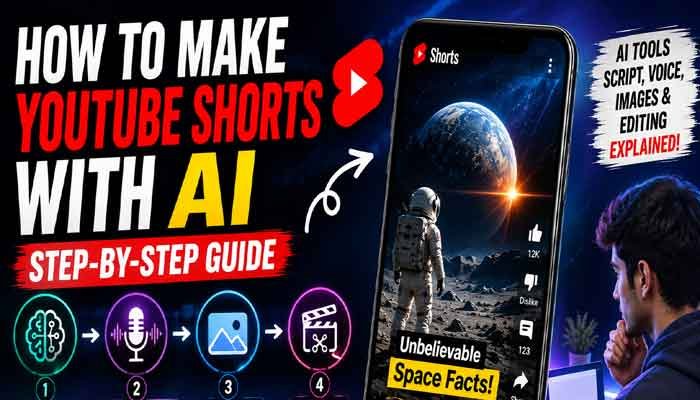
How to Make YouTube Shorts with AI
YouTube Shorts have become one of the easiest ways for creators to reach new audiences. The challenge is that creating short videos consistently can take a lot of time when you have to write scripts, record voiceovers, find visuals, edit clips, and add captions yourself.
AI can simplify much of this process.
With the right workflow, you can use AI to generate video ideas, write a short script, create a voiceover, produce visuals, and put everything together in a vertical video.
In this guide, you’ll learn how to make YouTube Shorts with AI from start to finish, even if you don’t have professional video-editing experience.
If you’re wondering how to make YouTube Shorts with AI without spending hours editing every video, the process is easier than it may seem. With a simple AI workflow, you can turn an idea into a complete Short using writing, voice, image, and editing tools.
If you’re looking for a simple way to make YouTube Shorts with AI, this workflow can help you create videos faster while keeping control over the final content.
Read Also This : Why Is YouTube Monetization Taking So Long? 2026 Review Times, Delays & What Creators Should Do
Why Use AI to Create YouTube Shorts?
AI doesn’t replace creativity, but it can reduce the amount of repetitive work involved in producing videos.
Here are some of the biggest advantages:
- Faster production: Generate ideas and draft scripts in minutes.
- Lower production costs: You don’t necessarily need a camera, studio, or professional voice actor.
- Consistent content: AI can help you maintain a regular publishing schedule.
- Faceless content: You can create videos without appearing on camera.
- Easy experimentation: Test different topics, hooks, formats, and storytelling styles.
The important thing is to use AI as a production assistant rather than publishing everything it generates without reviewing it.
4 Steps to Make YouTube Shorts with AI
The basic process can be divided into four stages:
Idea → Script → Voice & Visuals → Editing
Let’s look at each step.
This is the first important stage of how to make YouTube Shorts with AI, because a strong script gives your visuals and voiceover a clear direction
A strong script is one of the most important parts of how to make YouTube Shorts with AI, because it gives your voiceover and visuals a clear direction.
1. Find a Good Topic and Create the Script
A successful Short usually needs to grab the viewer’s attention almost immediately.
Instead of starting with a long introduction, get straight to the interesting part.
You can use AI writing tools such as ChatGPT or Claude to brainstorm ideas and create a first draft.
For example, you could use a prompt like:
“Write a 45-second YouTube Short about three surprising facts about space. Start with a strong hook, use simple language, and provide a visual suggestion for each section.”
After generating the script, don’t simply copy and paste it into your video.
Read it yourself and improve anything that sounds repetitive, exaggerated, or unnatural. Add your own examples, opinions, or storytelling style where appropriate.
You can use AI writing tools such as ChatGPT or Claude to brainstorm ideas and create a first draft.
What Makes a Good Shorts Script?
A simple structure works well:
Hook → Information → Curiosity → Payoff
For example:
- Hook: “Scientists discovered something strange about space…”
- Information: Explain the fact.
- Curiosity: Introduce an unexpected detail.
- Payoff: End with the most interesting part.
Try to keep sentences short because viewers are watching on a small screen and usually have a very short attention span.
2. Create an AI Voiceover
Once your script is ready, you need narration.
AI voice generators can turn your written script into a voiceover without requiring you to record your own voice.
Tools such as ElevenLabs can be used to create natural-sounding narration.
For example, ElevenLabs Text to Speech can convert written scripts into AI-generated speech and offers different voice styles for narration.
When selecting a voice, consider your content style.
For example:
- Storytelling: Calm and expressive voice
- Technology: Clear and confident voice
- Facts: Energetic but easy to understand
- Mystery: Deeper and slower narration
Before using the final audio, listen to the complete voiceover. Fix awkward sentences or pronunciation problems in the script rather than trying to hide them during editing.
Tip: A natural voice is more important than simply choosing the most dramatic AI voice.
3. Generate AI Visuals for Your Short
A voiceover alone isn’t enough for an engaging Short. You also need visuals that support what you’re saying.
AI image-generation tools can help you create custom images for different parts of your script.
You can use tools such as OpenArt or other AI image-generation platforms to create visuals based on your scenes.
For YouTube Shorts, use a 9:16 vertical format.
For example, if your video is about space, your visual prompts might describe:
- A realistic view of Earth from space
- An astronaut inside a spacecraft
- A distant galaxy
- A dramatic view of a black hole
Try to maintain a consistent visual style throughout the video. If every image looks completely different, the Short can feel disconnected.
Create Visuals Scene by Scene
Don’t try to generate one image for the entire video.
Instead, divide your script into several short sections and create a visual for each one.
This gives you more control during editing and makes it easier to keep the video moving.
4. Edit the Short in CapCut
Now it’s time to combine your script, voiceover, and visuals.
CapCut is one option for editing short-form vertical videos.
Start by creating a 9:16 project and then import your AI-generated images or video clips.
Add your voiceover to the timeline and match the visuals with the narration.
You can then improve the Short by adding:
- Animated captions
- Zoom-in and zoom-out effects
- Simple transitions
- Background music
- Sound effects
- Highlighted keywords
- Visual effects
Avoid adding too many effects. The goal is to make the video easier and more interesting to watch, not to overwhelm the viewer.
If you’re learning how to make YouTube Shorts with AI, CapCut can make the final editing stage much easier by combining your voiceover, visuals, captions, music, and effects in one project.
For anyone learning how to make YouTube Shorts with AI, CapCut makes it easier to combine voiceovers, visuals, captions, music, and effects in one project.
Add Captions
Captions are particularly useful for Shorts because many people watch videos without sound.
Use an auto-caption feature to generate subtitles and then manually check them for mistakes.
Highlight important words or phrases when appropriate, but keep the text easy to read on a mobile screen.
How Long Should an AI YouTube Short Be?
There is no single perfect length for every Short.
The right length depends on the topic and how quickly you can deliver useful information.
A simple fact video might work well in 20–30 seconds, while a short story may need more time.
Instead of adding unnecessary sentences just to make the video longer, focus on keeping the viewer interested from beginning to end.
A shorter video with strong retention can be more effective than a longer video filled with unnecessary information.
YouTube Shorts SEO Tips
Creating a good video is only part of the process. You also need to make it easy for YouTube and viewers to understand what the video is about.
1. Write a Clear Title
Use your main topic naturally in the title.
For example:
How to Make YouTube Shorts with AI in 2026
Avoid creating titles that promise something the video doesn’t actually deliver.
2. Use Relevant Keywords
Include relevant terms naturally in your:
- Video title
- Description
- Spoken content
- Captions
- Relevant hashtags
Don’t repeat the same keyword unnecessarily. Keyword stuffing can make your content look unnatural.
3. Use Relevant Hashtags
A few relevant hashtags are usually better than filling the description with dozens of unrelated tags.
For example:
#Shorts #AI #YouTubeShorts #AITools
Add niche-specific hashtags when they genuinely match the topic.
4. Focus on Viewer Retention
SEO can help people discover your video, but the video itself needs to keep them watching.
Pay close attention to:
- The first few seconds
- Pacing
- Story structure
- Visual changes
- Captions
- Ending
Your first sentence should give viewers a reason to continue watching.
5. Create Strong Openings
Instead of:
“Today we’re going to talk about artificial intelligence.”
Try something more direct:
“This AI tool can turn a simple idea into a complete video in minutes.”
The second version creates curiosity and immediately tells viewers what they can expect.
Can You Make YouTube Shorts with AI for Free?
Yes, you can start with free or free-tier AI tools, although the available features and usage limits vary between platforms.
A basic workflow could include:
AI writing tool → AI voice generator → AI image generator → CapCut
As your channel grows, you can decide which paid tools are actually worth the investment.
You don’t need a large collection of AI subscriptions to get started. In many cases, a simple workflow is enough.
Common Mistakes to Avoid When Using AI
AI makes video creation easier, but there are still several mistakes creators should avoid.
Don’t Publish Unedited AI Content
AI-generated scripts can contain incorrect information, awkward wording, or repetitive ideas.
Always review the content before publishing.
Don’t Use Random Visuals
Your visuals should support the narration. Random images can make the video confusing.
Don’t Overuse Effects
Too many transitions, animations, and sound effects can distract viewers from the actual information.
Don’t Sacrifice Accuracy for Clicks
A strong hook is useful, but misleading claims can damage your channel’s credibility.
If you’re creating an informative channel, accuracy should always come first.
A Simple AI YouTube Shorts Workflow
Here’s the complete process at a glance:
Step 1: Choose a specific topic.
Step 2: Research the topic and verify important facts.
Step 3: Use AI to create a short script.
Step 4: Edit the script so it sounds natural.
Step 5: Generate the voiceover.
Step 6: Create or collect relevant visuals.
Step 7: Edit everything in a 9:16 timeline.
Step 8: Add captions, music, and simple effects.
Step 9: Write an SEO-friendly title and description.
Step 10: Upload the Short and monitor its performance.
Final Thoughts
Learning how to make YouTube Shorts with AI can significantly simplify the content creation process. AI can help with brainstorming, scripting, voiceovers, visuals, and editing, allowing creators to spend more time improving their ideas and storytelling.
However, automation shouldn’t mean removing the human element.
The best AI-assisted Shorts still need human research, editing, creativity, and fact-checking. Use AI to speed up the production process, but make sure the final video provides something genuinely useful or entertaining to the viewer.
If you build a simple workflow and improve it over time, you can create Shorts more consistently without spending hours on every individual video.
Once you understand how to make YouTube Shorts with AI, you can create a repeatable workflow that saves time while still allowing you to add your own creativity and personality.
Once you understand how to make YouTube Shorts with AI, you can build a repeatable content workflow and spend more time improving your ideas and storytelling.