
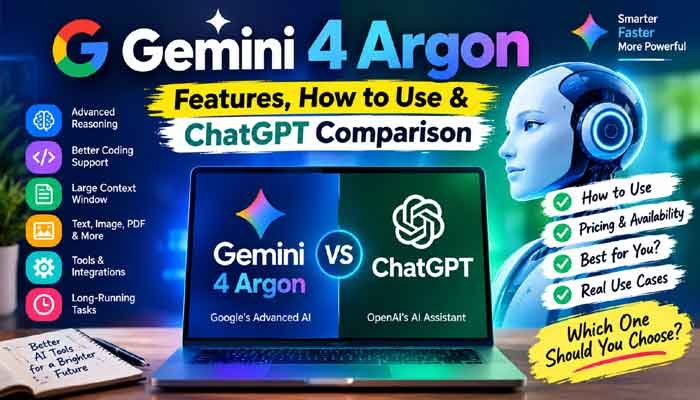
Artificial intelligence is moving beyond simple question-and-answer conversations. Today’s AI tools can help people research complicated topics, write software, analyze documents, and complete tasks that previously required hours of manual work. Google’s latest AI model, Gemini 4 Argon, is designed to take this development further by focusing on complex reasoning, software engineering, and professional knowledge work.
Announced by Google in September 2026 and subsequently rolled out to additional products, Argon is aimed at users who need more than quick answers. It is built to handle longer tasks, maintain context, and work through difficult problems with greater depth.
But what makes this model different? How can you use it, what features does it offer, and how does it compare with ChatGPT? Here is a practical guide to help you understand its capabilities, availability, costs, and limitations.
Read Alsi This : Best ChatGPT Alternatives for Beginners in 2026: Top AI Tools Like ChatGPT
What Is Gemini 4 Argon?
Gemini 4 Argon is Google’s advanced reasoning model, developed for demanding tasks involving coding, mathematics, scientific research, cybersecurity defense, and professional knowledge work.
Unlike an AI assistant designed primarily for everyday conversations, Argon is intended to work through complicated problems that may involve several connected steps. For example, a developer could ask it to inspect a large software project, identify a performance issue, propose a solution, and help implement the necessary changes.
Google also highlights its ability to work with extensive amounts of information. Its technical documentation specifies a unified context window of up to 1,048,576 tokens, with longer output capabilities available through supported execution methods.
In simple terms, this gives the model room to work with large amounts of text and code in a single task. However, a large context window does not automatically guarantee perfect recall, accuracy, or understanding.
Google has also introduced the model into its developer ecosystem and selected business products, making it relevant to software engineers, researchers, and organizations working on demanding projects.
Key Gemini 4 Argon Features
The model’s main strengths are connected to reasoning, long-running tasks, software development, and the ability to work with different kinds of information.
1. Advanced Reasoning
One of the most important features is its ability to spend more effort on difficult problems. Developers can select low, medium, or high thinking levels through supported API settings.
Lower thinking levels can be suitable for straightforward tasks, while higher levels are intended for complex mathematics, difficult programming problems, and multistep analysis.
This can be particularly useful when a problem requires several decisions rather than a single direct answer.
2. A Large Context Window
The model supports a unified context window of up to 1 million tokens. This can help when working with extensive technical documentation, lengthy reports, research materials, or large collections of code.
For example, a business analyst could provide a substantial report and ask for its main findings, risks, inconsistencies, and recommendations.
The actual amount of information a user can submit depends on the application, file format, output settings, and product limits.
3. Advanced Coding Assistance
Software engineering is a major focus. The model is designed to assist with code generation, debugging, optimization, codebase migrations, and complicated development workflows.
A developer might ask it to investigate a bug, explain the underlying cause, suggest a fix, and create tests to check whether the change works.
When paired with supported coding agents and tools, it can also participate in more involved development tasks. Nevertheless, developers should review generated code, run tests, and check security implications before deploying changes.
4. Support for Different Input Types
Google’s developer documentation lists text, images, video, audio, and PDF as supported input types. Output is text, and some additional capabilities depend on the tools and interfaces being used.
This opens up possibilities such as analyzing a technical PDF, interpreting a screenshot, reviewing video content, or extracting useful information from documents.
It is important to distinguish input support from content generation. The model’s API documentation does not list native image generation or audio generation as supported output capabilities.
5. Computer Use and Tool Integration
The developer API lists computer use in preview, along with function calling, file search, search grounding, URL context, and structured outputs.
These features can help developers build applications that do more than generate text. Depending on the configuration, an AI system may search for information, call a function, retrieve a document, or interact with a supported computer interface.
Such capabilities are especially useful for workflows that require several connected operations. They are not a guarantee that every feature will be available in every Gemini interface.
6. Long-Running Tasks
Some problems cannot be solved effectively in one short response. A detailed code review, scientific analysis, or large document transformation may require sustained work.
The model supports longer outputs through background execution, subject to the API’s limits and configuration requirements. This is useful for developers building systems that need extensive responses or multiple stages of processing.
Longer output should not be confused with better output in every situation. Clear instructions, verification, and appropriate task boundaries remain important.
How to Use Gemini 4 Argon
Getting started depends on whether you want to use the model as an ordinary user or integrate it into your own application.
Method 1: Use the Gemini App
For eligible users, the Gemini app provides a straightforward way to access the model without writing code.
- Open the official Gemini website at https://gemini.google.com/ or use the official app.
- Sign in with your Google account.
- Check the available model choices and select Argon if your account and region support it.
- Enter a clear question or task.
- Review the response and ask follow-up questions to refine the result.
For example, you could request a detailed explanation of a business report, a comparison of software options, or a step-by-step plan for solving a technical problem.
Availability can vary by subscription, region, rollout status, and product. If Argon does not appear in your model selector, check Google’s current availability information rather than assuming your account is eligible.
Method 2: Try Google AI Studio
Google AI Studio is an option for developers who want to experiment with the model before building a complete application.
Visit https://aistudio.google.com/ and sign in. If Argon is available to your account, select the model, enter a prompt, and test its responses against your intended use case.
You can compare different prompts, evaluate response quality, and determine whether the model is suitable for your project.
Method 3: Use the Gemini API
Developers can integrate the model into supported applications using Google’s API.
The documented model ID is gemini-4-argon. A basic Python example using Google’s Gen AI SDK looks like this:
from google import genai

client = genai.Client()

response = client.interactions.create(
    model="gemini-4-argon",
    input="Explain how database indexing improves query performance."
)

print(response.output_text)
Before running the example, install the appropriate Google Gen AI SDK and configure your API credentials securely according to Google’s official documentation.
API usage is billed separately from many consumer subscriptions. Access restrictions, pricing, quotas, and supported features should be checked before deploying an application.
Best Ways to Use Gemini 4 Argon
The model is most useful when the task requires analysis, several connected steps, or working with substantial amounts of information.
For students and researchers: Use it to organize research questions, explain difficult concepts, compare arguments, and summarize source material. Always verify factual claims and check original sources before citing information in academic work.
For programmers: Ask it to inspect code, explain bugs, propose tests, or suggest performance improvements. Provide the relevant code, error messages, expected behavior, and constraints.
For business owners: Use it to analyze reports, compare strategies, identify operational risks, or draft internal documentation. Keep confidential business information within approved systems.
For writers and content creators: Use it to develop outlines, research article angles, organize source material, and improve clarity. A useful workflow is to combine AI assistance with original reporting, editing, and fact-checking.
For developers building AI products: Explore its API, function calling, structured outputs, and tool integrations to create applications that can handle more complex workflows.
The quality of the result will depend heavily on the task, the instructions, the available tools, and the quality of the information supplied.
Gemini 4 Argon vs ChatGPT: Which Is Better?
Both Google’s Gemini ecosystem and ChatGPT can help with research, writing, coding, analysis, and everyday productivity. The main difference is not simply which product is smarter; it is how each system fits into your workflow.
ChatGPT is an AI assistant from OpenAI with capabilities that depend on the selected model, subscription, and available tools. Google’s Argon is positioned around demanding reasoning, complex coding, and professional knowledge work.
| Comparison | Gemini 4 Argon | ChatGPT |
|---|---|---|
| Complex reasoning | Designed for demanding multistep problems | Depends on the selected model and reasoning settings |
| Software development | Strong focus on coding and long-running engineering tasks | Coding assistance and development workflows vary by model and tools |
| Long documents | Supports a context window of up to 1 million tokens in its API | Context limits depend on the selected model and interface |
| Google ecosystem | Can integrate with supported Google products and developer tools | Integrations depend on available apps, connectors, and tools |
| API usage | Available through Google’s developer platform, subject to eligibility and pricing | Available through the OpenAI API, with model-specific pricing |
| Everyday assistance | Availability and capabilities depend on the Gemini product | Offers conversational help, writing, analysis, and supported tools |
Which One Should You Choose?
Choose Google’s model if your work benefits from its particular coding capabilities, large context window, or integrations with supported Google products.
Choose ChatGPT if its available models, writing workflow, connected tools, or interface better match the way you work.
For developers, it is worth testing both systems against the same real-world tasks. Measure accuracy, completion time, cost, reliability, and how much manual correction each response requires.
A benchmark score alone cannot establish which model will perform best for every user. Results can vary depending on the task, test methodology, model configuration, and product version.
Gemini 4 Argon Pricing and Availability
Pricing is an important consideration, particularly for developers who plan to process large amounts of information.
Google’s published API pricing lists the following introductory rates through November 30, 2026:
- Input tokens: $2 per million tokens.
- Output tokens: $10 per million tokens.
- Cached input tokens: $0.10 per million tokens when the documented implicit-caching discount applies.
From December 1, 2026, the published standard rates are scheduled to increase to $4 per million input tokens and $20 per million output tokens.
These figures are API token prices, not a monthly subscription fee. Actual spending depends on input size, generated output, reasoning usage, caching, and other applicable charges.
Consumer app access is a separate matter. Google has announced availability for eligible Google AI Pro and Ultra subscribers in the Gemini app, while API access has its own eligibility and billing rules. Do not assume that paying for a consumer subscription automatically includes API credits.
For current details, consult the official Gemini app announcement and Gemini API model documentation.
Limitations You Should Know
Despite its advanced capabilities, the model is not a replacement for human judgment.
First, AI-generated responses can contain errors, unsupported assumptions, or outdated information. Important claims should be verified against reliable sources.
Second, complex tasks may require more processing time and cost than simple prompts. High reasoning settings and long outputs can increase resource consumption.
Third, access is not universal. Features may differ across the Gemini app, Google AI Studio, API, and business environments.
Finally, computer-use and autonomous workflows require appropriate safeguards. Review proposed actions, protect sensitive information, and avoid giving an AI system unnecessary access to accounts or critical infrastructure.
Understanding these limitations helps users get more value from advanced AI without relying on it blindly.
Frequently Asked Questions
Is Gemini 4 Argon free to use?
Availability depends on the product. Google’s consumer announcement identifies eligible paid subscribers for app access, while API usage has separate pricing and eligibility rules. Check the current terms for your account.
How do I access Gemini 4 Argon?
Start with the official Gemini app or Google AI Studio and check whether the model is available to your account. Developers can also consult the official API documentation.
What is Gemini 4 Argon best at?
Its main focus is complex reasoning, software engineering, scientific and mathematical problem-solving, cybersecurity defense, and demanding professional workflows.
Can it write and debug code?
Yes. Coding is one of its central use cases. However, generated code should be tested, reviewed, and checked for security and compatibility before use.
Is it better than ChatGPT?
Neither tool is automatically better for every task. Compare them using your actual requirements, including response quality, integrations, cost, speed, and ease of use.
Does it support images and PDFs?
The developer documentation lists images and PDFs among its supported input types. Available features can differ by interface, and support for input analysis does not mean native image generation is included.
Final Verdict
Google’s latest model represents an important development in AI-assisted professional work, particularly for users tackling complicated coding, research, and analytical tasks. Its large context window, adjustable reasoning levels, and developer integrations make it worth evaluating for demanding projects.
The best approach is to start with a clearly defined task, check access and pricing, and compare the results against your existing workflow. Use AI to accelerate research and problem-solving, but retain human oversight wherever accuracy, security, or important decisions matter.
As AI tools continue to evolve, the real advantage will come from choosing the right system for the job and knowing how to use it responsibly.