
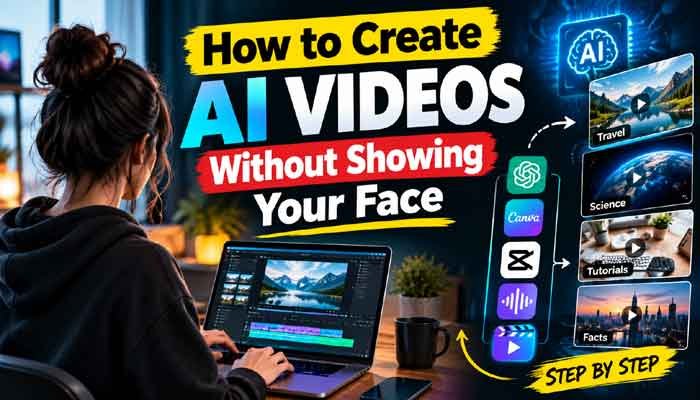
Creating videos no longer requires an expensive camera, a professional studio, or even appearing in front of an audience. With the right AI tools, you can turn simple ideas into engaging videos for YouTube, TikTok, Instagram Reels, and other platforms while keeping your identity private.
The best part? You can start with a basic computer or smartphone and improve your production quality as you learn. The real challenge is not generating a video. It is creating something useful, interesting, and different enough that people want to watch until the end.
In this guide, you will learn how to create AI videos without showing your face, which tools are worth trying, how to build a simple production workflow, and what to consider if you eventually want to monetize your content.
Read Also This : 5 Best AI Video Generators in 2026: Top Tools for Realistic AI Videos
What Are Faceless AI Videos?
Faceless AI videos are videos in which the creator does not appear on camera. Instead, the content uses a combination of AI-generated visuals, animations, screen recordings, stock footage, voiceovers, subtitles, and background music.
For example, you could create a documentary about space, explain how artificial intelligence works, tell an interesting historical story, or make a product tutorial without recording yourself.
AI tools can help with scripting, narration, visual generation, and editing. However, the best results usually come when you make your own creative decisions rather than relying on a tool to do everything automatically.
Why Are Faceless Videos Worth Trying in 2026?
One major advantage of faceless content is flexibility. You do not need to arrange lighting, prepare a filming location, or feel comfortable speaking in front of a camera.
Here are some reasons creators choose this format:
- Privacy: You can publish content without revealing your identity.
- Lower production costs: You can begin with free editing tools and limited AI credits.
- More content options: Educational videos, storytelling, tutorials, animations, and explainers all work without an on-camera presenter.
- Flexible production: You can create videos whenever you have time.
- Multiple platforms: The same core idea can be adapted for YouTube Shorts, TikTok, Instagram Reels, or longer YouTube videos.
Still, faceless content is not an automatic shortcut to success. Your topic, storytelling, editing, and audience retention matter much more than simply using AI.
Best AI Tools for Creating Faceless Videos
You do not need to purchase five different subscriptions when starting out. Choose tools based on the type of video you want to produce.
1. ChatGPT for Video Scripts
ChatGPT can help you brainstorm video topics, research questions, organize information, write narration, and develop stronger opening hooks.
For example, instead of creating a general video about technology, you could explore a specific question: “What would happen if the internet stopped working for 24 hours?”
A focused topic gives your video a clear direction and makes it easier to plan visuals.
2. Canva AI for Visuals and Short Clips
Canva provides tools for designing thumbnails, creating graphics, and producing short AI-generated video clips. Its official help documentation explains how to generate clips from text prompts and edit them in Canva’s video editor.
You can explore the Canva AI video guide to understand its current features and limitations.
3. CapCut for Video Editing
CapCut is useful for combining clips, adding subtitles, adjusting audio, and improving the overall pacing of your video. Its free plan includes basic editing tools, although some AI features require a paid plan or credits. Availability may vary by region and account.
Check the official CapCut pricing page before paying for any features.
4. AI Voice Generators
If you do not want to record your own voice, an AI voice generator can narrate your script. Choose a voice that sounds natural and suits your subject.
For educational content, clear pronunciation and comfortable pacing are usually more important than an overly dramatic voice. Always check the tool’s commercial-use terms before using generated narration in monetized videos.
5. AI Video Generators
Tools such as InVideo AI and other text-to-video platforms can help assemble scenes from a script or prompt. More specialized video generators can create original footage from text or images.
The best option depends on whether you need realistic scenes, animated visuals, a narrated slideshow, or a presenter-style video. Compare the available export quality, usage limits, watermarks, and licensing before choosing a subscription.
How to Create AI Videos Without Showing Your Face: Step-by-Step Guide
You can build a repeatable workflow instead of starting from scratch every time. Follow these steps to create your first video.
Step 1: Choose a Specific Topic
Start by deciding what your audience should learn, feel, or understand after watching your video.
Some promising formats include:
- Technology and AI explainers
- Science and space documentaries
- Historical mysteries
- Practical tutorials
- Business and money education
- Short fictional stories
- Interesting facts supported by reliable sources
Do not select a niche only because someone claims it is easy to monetize. Choose something you can research consistently and explain in your own style.
For example, a channel about unusual technological failures could explore why major internet outages happen, how data centers work, and what happens when digital payment systems stop functioning.
Step 2: Write an Engaging Script
Your script should give viewers a reason to keep watching.
For a short video, start with a surprising question or a clear problem. Then explain the main idea using simple language, and finish with a memorable conclusion.
Here is a basic example:
Hook: “What would happen if the entire internet disappeared tomorrow?”
Main content: “Online payments could fail, businesses might lose access to cloud services, and communication between countries could become much harder. However, some local networks and offline systems could continue working.”
Ending: “The biggest problem would not just be losing social media. It would be discovering how much of everyday life depends on being connected.”
This structure is more useful than filling a video with random facts. Check factual claims against reliable sources, especially when discussing science, finance, technology, or current events.
Step 3: Generate the Visuals
Once your script is ready, divide it into short scenes. Each scene should illustrate one idea from the narration.
For example, an internet-outage video might use:
- A busy city with digital billboards going dark
- A close-up of a failed online payment
- A data center filled with server racks
- People communicating without internet access
You can create these visuals using AI image generators, text-to-video tools, licensed stock footage, or your own screen recordings.
Use detailed prompts that describe the subject, environment, lighting, camera movement, and visual style. Generate shorter clips when you need precise control over individual scenes.
Step 4: Add a Natural Voiceover
If you want narration, generate the audio after finalizing your script. Listen to the complete recording before adding it to your editor.
Correct mispronounced names, awkward pauses, and unnatural emphasis. If a sentence sounds like it was copied from an instruction manual, rewrite it in conversational language.
You can also create a completely silent video using visual storytelling, on-screen text, and sound effects. This works particularly well for satisfying processes, craft videos, and quick visual demonstrations.
Step 5: Edit the Video and Add Captions
Editing is where individual clips become a coherent story.
Arrange your scenes in the same order as the narration. Remove unnecessary pauses, use transitions sparingly, and ensure that the visuals actually match what the viewer hears.
Add readable captions, particularly for short-form content. Keep important text away from platform interface elements, and make sure it remains visible on a small phone screen.
Use music and sound effects only when they improve the experience. Make sure you have the necessary rights to use them.
Step 6: Create a Strong Thumbnail and Title
For YouTube videos, the thumbnail and title should communicate the same central idea.
Avoid overcrowding the thumbnail with text or using visuals that promise something the video never delivers. A simple image with a clear subject and a few readable words can work better than a complicated design.
For Shorts and Reels, the opening frame and first few seconds are especially important because viewers can quickly swipe to another video.
Step 7: Publish and Learn From the Results
After publishing, review your analytics rather than judging a video by views alone.
Look at audience retention, average viewing duration, click-through rate where available, and the points where viewers stop watching. These signals can help you identify weak openings, slow sections, or topics that deserve a follow-up video.
Publish consistently at a pace you can maintain. Three carefully produced videos each week may be a better starting point than producing daily videos with little research or editing.
How to Create AI Videos Without Showing Your Face for YouTube Shorts
Short-form videos are a practical starting point because they allow you to test ideas without spending days on a single production.
For a 30–60 second Short, try this structure:
| Section | Purpose |
|---|---|
| First 1–3 seconds | Introduce a surprising question or problem |
| Next 5–15 seconds | Build curiosity and provide context |
| Middle section | Explain the main point using relevant visuals |
| Final seconds | Deliver the answer or a memorable conclusion |
For example, a technology channel could publish a series called “What If the World Stopped Working?” Each episode could explore one scenario, such as a global GPS outage, a banking system disruption, or a major undersea internet cable failure.
A recurring series makes it easier for viewers to understand your channel’s identity and gives you a steady source of related topics.
Can You Monetize Faceless AI Videos?
Yes, faceless videos can be monetized, but using AI does not guarantee approval or earnings.
YouTube evaluates channels according to its monetization policies, including rules concerning original content, reused material, and repetitive or mass-produced content. Simply combining automatically generated narration with generic footage may not provide enough original value.
To improve your chances of building a sustainable channel:
- Write original scripts and add meaningful explanations.
- Use visuals that directly support your topic.
- Add your own research, examples, commentary, or storytelling.
- Avoid repeatedly publishing nearly identical videos.
- Use licensed music, footage, and other creative assets.
- Follow applicable disclosure requirements when realistic synthetic or altered content must be disclosed.
You should also check the current YouTube Partner Program requirements for your country before planning your income around monetization.
The goal is to make videos that viewers genuinely find useful or entertaining, not merely to produce a large number of AI-generated uploads.
Common Mistakes to Avoid
Even with powerful tools, a few mistakes can make your content look generic.
Relying entirely on automation: An automatically assembled video may contain mismatched visuals, weak narration, or inaccurate information. Review every scene before publishing.
Choosing overly broad topics: A specific question usually gives you a stronger story than a general subject such as technology or motivation.
Ignoring audio quality: Bad pronunciation, inconsistent volume, and excessive background music can make a video difficult to follow.
Using misleading thumbnails: A dramatic title may attract clicks, but viewers are unlikely to stay if the content does not deliver.
Ignoring copyright: Finding an image or video online does not automatically give you permission to reuse it. Check licenses and platform rules.
Publishing without reviewing analytics: If viewers leave during the opening seconds, improve the hook and pacing before producing more videos in the same format.
How to Create AI Videos Without Showing Your Face on a Budget
You can start without buying expensive software. A practical beginner workflow uses ChatGPT for planning and scripting, Canva for graphics, and CapCut for editing. You can add a voice generator or a dedicated AI video tool later if your format requires it.
Start by making three to five videos around one focused topic. Compare the results, identify the strongest idea, and improve the next batch using what you learned.
Before paying for any service, check its free usage limits, watermark policy, export options, and commercial licensing. AI credits and subscription features change, so the cheapest option today may not remain the cheapest as your channel grows.
Final Thoughts
Learning to make videos without appearing on camera can open up many creative possibilities. You can explain complex topics, tell stories, teach useful skills, or produce short documentaries while keeping your personal identity private.
The most effective approach to how to create AI videos without showing your face is to combine AI tools with original ideas, accurate information, thoughtful editing, and a clear understanding of your audience.
You do not need a complicated production setup to begin. Choose one topic, write one strong script, create a few relevant scenes, and publish your first video. Improve the process with every upload instead of waiting until everything is perfect.
Remember, AI can speed up production, but the idea and the value you deliver are what make your content worth watching.