
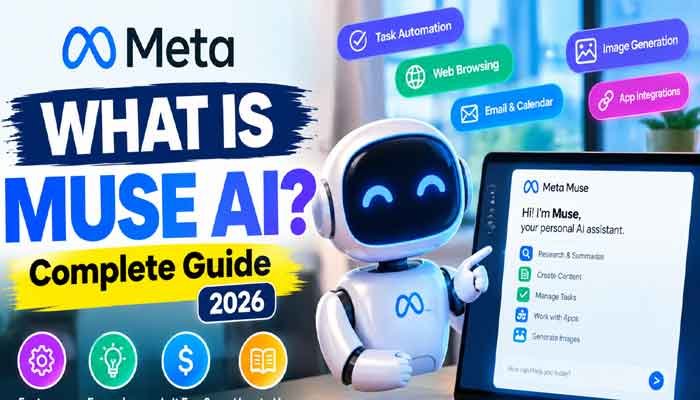
Artificial intelligence is moving beyond simple chatbots. Instead of only answering questions, modern AI tools are becoming capable of completing everyday tasks, managing information, and helping people save time. One of the interesting developments in this space is Meta Muse AI.
If you have recently heard about Meta Muse AI, you may be wondering what it actually does, how it works, and whether it is worth trying. Unlike traditional AI chatbots, Muse is designed to act more like a personal assistant that can plan tasks, use connected applications, browse the internet, and work toward your goals.
In this guide, we will explore What Is Muse AI, how to get started, its pricing, important features, and practical examples. Whether you are a beginner, content creator, student, or professional, this article will help you understand what Meta’s new AI assistant can offer.
Read Also This : How to Create AI Videos Without Showing Your Face in 2026
What Is Muse AI? Complete Guide
Muse AI is Meta’s personal AI agent designed to help users manage tasks and accomplish goals with less manual effort. It goes beyond ordinary question-and-answer conversations by taking action through supported tools, websites, and connected applications.
For example, you could ask Muse to organize your schedule, research a topic, prepare a document, monitor something important, or help with an online task. Rather than simply providing instructions, it can work through multiple steps to complete the task.
Meta introduced Muse as part of its vision for personal AI agents. The system is powered by Meta’s Muse model family, including Muse Spark, which supports reasoning, multimodal understanding, and tool use.
The most important difference is that Muse is designed to do more than generate text. It can understand a request, develop an action plan, use available tools, and keep working in the background when appropriate.
How Is Muse AI Different From Traditional Chatbots?
Traditional chatbots mainly respond to individual prompts. You ask a question, receive an answer, and decide what to do next.
Muse takes a more action-oriented approach. It can break a larger request into smaller steps and work through them using its available capabilities.
For example:
- A chatbot can suggest how to organize your emails.
- Muse can connect to supported email services and help organize them.
- A chatbot can explain how to research a product.
- Muse can browse websites and compare available information.
- A chatbot can create a to-do list.
- Muse can help track tasks and monitor progress.
This makes it closer to a personal AI agent than a traditional chatbot.
How to Use Meta Muse AI
Getting started with Meta Muse AI is designed to be straightforward. You do not need advanced technical knowledge or programming experience to give it instructions.
Here is a simple step-by-step approach.
Step 1: Visit the Official Muse Website
Start by visiting the official Meta Muse website:
Look for the option to try Muse or get started. You may also find information about supported devices and available access options.
Step 2: Sign In and Check Availability
Follow the sign-in instructions and use an eligible account. Availability can depend on your country, device, and rollout status.
Meta initially announced Muse availability in the United States through its mobile experience and website. If the service is not available in your region, you may need to wait for a wider rollout.
Step 3: Start With a Simple Request
Once you have access, begin with an easy task instead of giving the assistant a complicated project.
For example, try this prompt:
“Create a simple daily schedule for me that includes work, exercise, learning, and personal time.”
Muse can interpret your request and help organize the information into a useful plan.
Step 4: Connect Your Applications
One of the more interesting parts of Muse is its ability to work with supported third-party applications.
Depending on availability and permissions, you may be able to connect services such as email, calendars, Instagram, and other supported tools.
Only connect applications that you actually need. Review the requested permissions carefully before granting access.
Step 5: Give Muse a Real Task
After setting up the necessary connections, try a practical request.
For example:
“Research five useful AI tools for content creators, compare their main features, and prepare a short report.”
Muse can break the request into smaller actions and use available tools to work through the task.
Step 6: Review Actions Before Approving Them
Muse is designed to keep users involved in important decisions. Certain actions, such as sending an email or making a purchase, require your approval.
Always review the information and permissions before allowing an action to proceed.
Is Muse AI Free to Use?
One of the most common questions people ask is: Is Muse AI Free to Use?
According to Meta’s official information, Muse is available for free with usage limits. This means users can try its capabilities without necessarily paying for a subscription.
However, free access does not mean unlimited usage. If you reach your available usage limit, you may need to wait for it to refresh or consider an available paid subscription.
Here is a simple breakdown:
| Feature | Availability |
|---|---|
| Basic AI assistance | Free access available |
| Task completion | Subject to usage limits |
| Web browsing | Supported |
| Document creation | Supported |
| Image generation | Supported |
| Connected applications | Depends on supported integrations |
| Higher usage limits | Paid options may be available |
Meta may change its subscription options, usage limits, and regional availability over time. Therefore, check the official Muse website for the latest pricing information before subscribing.
For beginners, the free option is a useful way to explore the platform and understand whether it fits their daily workflow.
Best Features and Examples of Meta Muse AI
The biggest attraction of Muse is its ability to combine AI conversations with practical actions. Instead of switching between multiple tools for every small task, users can give instructions to one personal AI agent.
Let’s explore some of the Best Features and Examples that make Muse interesting.
1. Smart Task Automation
Muse can help handle multi-step tasks by creating a plan and working through the required actions.
For example, you could ask it to research a topic, organize the findings, and prepare a document.
This can be particularly useful for professionals who regularly handle repetitive administrative work.
2. Web Browsing and Online Research
Researching information manually can take considerable time. Muse can browse the web and collect relevant information for supported tasks.
You can use it to:
- Research a particular topic.
- Compare products and services.
- Collect information from different websites.
- Prepare summaries and reports.
- Organize research findings.
For example, a blogger could ask Muse to research five topics related to artificial intelligence and prepare an outline for each one.
3. Email and Calendar Management
Managing emails and appointments is another useful application.
With supported connections and the right permissions, Muse can help users review emails, organize schedules, and prepare messages.
Imagine asking:
“Review my upcoming calendar and create a list of important tasks for tomorrow.”
Instead of manually checking different information sources, you can ask your AI assistant to help bring everything together.
4. Document and Content Creation
Content creators, students, and business owners often need to prepare documents and organize information.
Muse can help generate documents, develop ideas, create research summaries, and structure information.
Some practical examples include:
- Preparing a business proposal.
- Creating a weekly content calendar.
- Writing a meeting summary.
- Organizing project notes.
- Developing a research document.
You should still review AI-generated content before publishing or sharing it.
5. Image Generation
Muse also supports image generation, making it useful for creative tasks.
Users can describe the image they want and explore visual ideas through AI assistance.
For example:
“Create a realistic image concept for a modern technology blog thumbnail featuring an AI assistant and a futuristic computer workspace.”
This can help creators develop visual concepts without starting from scratch.
6. Goal Tracking and Background Tasks
Muse is designed to remember relevant goals, track progress, and continue working on certain tasks in the background.
For example, you could ask it to help monitor a project or remind you about an upcoming deadline.
This feature makes the assistant more useful for ongoing work rather than only one-time questions.
7. Secure Computer and Browser
An important part of Muse’s design is its dedicated virtual computer environment, known as Muse Secure VM.
It gives the agent its own browser and working environment for completing supported online tasks.
Meta says this environment is designed with security and privacy protections. Users can control connected services, review activity, and approve sensitive actions.
Practical Examples: How Different People Can Use Muse AI
Muse is not limited to one type of user. Its capabilities can be useful in different professional and personal situations.
For bloggers: Research topics, organize article ideas, prepare outlines, and create documents.
For students: Organize study schedules, summarize research, and prepare learning plans.
For business owners: Manage administrative tasks, organize information, and prepare business documents.
For content creators: Develop content calendars, research trends, and create visual concepts.
For busy professionals: Organize meetings, review schedules, and manage supported email tasks.
The results will depend on the connected applications, available permissions, and the complexity of the request.
Is Meta Muse AI Safe and Private?
Privacy is an important consideration when using any AI agent that can interact with personal accounts and online services.
Meta says Muse includes several security features designed to keep users in control.
These include:
- Permission controls for connected applications.
- Approval requirements for sensitive actions.
- An activity history showing what the agent has done.
- Secure storage for account credentials.
- The ability to disconnect applications.
- Controls over whether interactions can be used to train Meta’s AI models.
Meta also states that Muse conversations and virtual machine data are not shared with its advertising systems.
However, users should still be careful when connecting personal accounts. Avoid sharing unnecessary sensitive information, review permissions regularly, and check important actions before approving them.
No AI service should be treated as completely risk-free.
Muse AI vs Traditional AI Chatbots
Here is a simple comparison to understand how Muse differs from a conventional chatbot.
| Capability | Traditional Chatbot | Meta Muse |
|---|---|---|
| Answer questions | Yes | Yes |
| Generate text | Yes | Yes |
| Browse the web | Depends on the tool | Yes |
| Complete multi-step tasks | Limited | Designed for this |
| Connect applications | Depends on the tool | Supported integrations |
| Track ongoing goals | Limited | Yes |
| Background task execution | Usually limited | Supported |
| Require approval for sensitive actions | Depends on the tool | Yes |
The main difference is the focus on taking action. A traditional chatbot primarily provides information, while Muse is designed to help users turn instructions into completed tasks.
Limitations You Should Know Before Using Muse
Although Muse offers interesting capabilities, it is not perfect.
Here are a few limitations worth considering:
- Regional availability: Access may not be available in every country.
- Usage limits: Free users may have restrictions on how much they can use the service.
- Application support: Not every third-party application may be supported.
- Permission requirements: Some tasks require users to approve specific actions.
- AI accuracy: Research and generated information can contain mistakes and should be checked.
- Task complexity: Complicated requests may require additional instructions or human review.
Understanding these limitations will help you use the assistant more effectively.
Frequently Asked Questions About Muse AI
1. What Is Muse AI Used For?
Muse is used for task automation, online research, document creation, image generation, application connections, reminders, and goal tracking. It is designed to act as a personal AI agent rather than simply answering questions.
2. Is Muse AI Free to Use?
Yes. Meta offers free access with usage limits. Paid subscription options may be available for users who need more usage.
3. How to Use Meta Muse AI on a Computer?
Visit the official Muse website, sign in if access is available, and start by giving it a simple task. Follow the instructions to connect supported applications and review permissions.
4. Can Muse AI Generate Images?
Yes. Image generation is among the capabilities supported by Muse. Users can describe the visual they want and use AI to create image concepts.
5. Is Meta Muse Available Worldwide?
Not necessarily. Meta’s initial announcement described a rollout in the United States. Availability can expand over time, so check the official website for your region.
6. Can Muse AI Send Emails?
Muse can work with supported email connections. Sending messages is a sensitive action, so it is designed to request approval before proceeding.
7. Does Muse AI Work in the Background?
Yes. Muse can continue working on assigned tasks in the background, even when you are not actively using the application, depending on the task and available features.
Final Thoughts
Meta Muse represents an interesting step forward in the development of personal AI agents. Rather than simply responding to questions, it is designed to help users research, organize, create, and complete real-world tasks.
For people who manage multiple projects, work with online tools, or want to reduce repetitive tasks, Muse could become a useful addition to their daily workflow.
If you are exploring AI technology in 2026, it is worth understanding what this platform offers. Start with simple tasks, explore its supported features, and carefully review permissions before connecting personal accounts.
The future of AI is not just about getting better answers. It is also about getting more useful work done with less effort.