

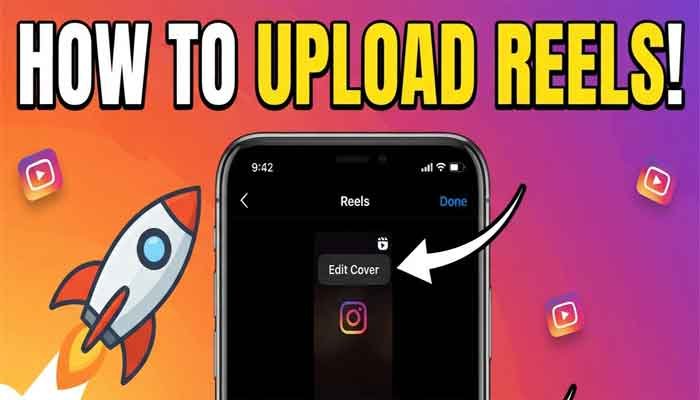
Right Way To Upload Reels On Instagram 2026 | How To Go Viral
If you are tired of uploading Instagram reels and seeing your views freeze at 100 or 200, the culprit might be an incorrect uploading method. Many new creators assume that a good video will automatically go viral, but the real secret lies in understanding the Instagram algorithm and using proper settings.
Read This : Instagram Reels Trends 2026: The Ultimate Strategy Guide
In this article, we will walk you through the step-by-step process of uploading reels correctly on new or existing Instagram accounts to help your content reach the right audience and boost your chances of going viral.
1. Two Important Factors in Instagram Reels
When you upload a reel, two main elements determine its performance:
20% Algorithm & Targeting: Uploading correctly signals the algorithm to push your reel to the precise target audience it was created for.
80% Audience Retention: The remaining 80% depends on whether users watch your video fully, like, share, save, or comment on it.
2. Perfect Your Account Basic Settings
Before publishing any reels, optimize these essential settings on your profile:
Professional Dashboard: Switch your Instagram account from Personal to a Professional Dashboard.
Correct Category Selection: Go to Edit Profile and select the exact category that matches your content (e.g., Reel Creator, Digital Creator, Blogger, Artist, Education, or Gamer). Choosing the wrong category misleads the algorithm.
Flag For Review: Navigate to settings under Follow and Invite Friends and turn on Flag for Review to automatically filter out spam followers.
Tag & Mention Settings: Set both tags and mentions to Everyone.
Sharing and Remix: Enable all options under sharing and remixing so users can easily share your content.
Reset Suggested Content: Go to Content Preferences and select Reset Suggested Content to refresh your feed with trending reels relevant to your niche.
3. Step-by-Step Guide to Uploading Instagram Reels Correctly
Select Your Reel: Tap the + (Plus) icon on your profile, choose Reel, and select your video from the gallery.
Set a Cover Photo: Click Edit Cover to choose the best visual frame from your video or upload a custom thumbnail so profile visitors immediately understand your topic.
Write a Concise Caption: Keep your caption relevant to the video content and brief enough for users to read effortlessly while scrolling.
Use Relevant Hashtags: Add specific hashtags that match your topic and include a couple of trending tags so the algorithm categorizes your content properly.
Advanced Settings & Quality:
Turn on Add AI Label only if you used artificial intelligence tools in your video.
Open More Options and ensure Upload at Highest Quality is enabled.
Turn on the Translate Reel feature.
Publish: Review everything and click Share to push your reel live.
Conclusion
Results won’t appear overnight by following this method for just a day or two. Alongside correct uploading practices, consistency and continuous improvement in content quality are key to long-term success!