
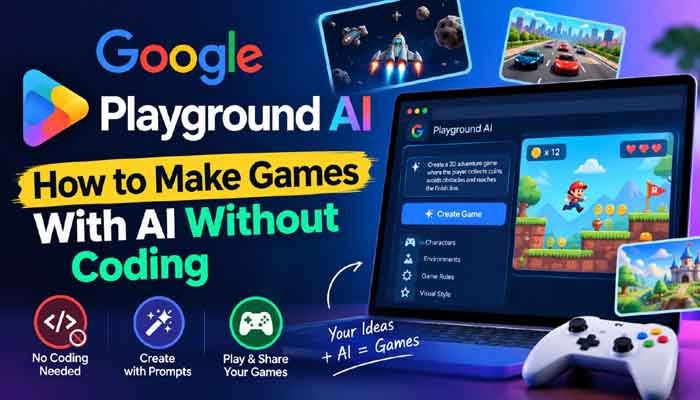
Creating a video game usually means learning programming, working with a game engine, designing assets, testing mechanics, and spending countless hours fixing bugs. Google Playground AI is changing that approach by allowing users to experiment with game creation using natural-language instructions instead of traditional coding.
The new experimental platform from Google lets users describe the type of game they want to build and then use AI to create and modify the experience. This makes game development more accessible to beginners, students, creators, and anyone who has a game idea but does not know how to code.
In this guide, we explain Google Playground AI: how to make games with AI without coding, what the platform can do, its limitations, and how to write better prompts for creating games.
Read Also This : Best AI Apps 2026: 20 AI Tools Worth Trying Right Now
What Is Google Playground AI?
Google Playground AI is an experimental browser-based gaming platform from Google that uses artificial intelligence to help people create interactive games.
Instead of starting with programming code, users can describe their game idea using ordinary language. They can explain the gameplay, characters, environment, rules, physics, and other elements they want to include.
The AI then helps turn those instructions into an interactive gaming experience.
This approach is particularly interesting for people who have creative ideas but do not have experience with programming or professional game-development software.
How Does Google Playground AI Work?
The basic idea behind Playground is simple: describe what you want, generate it, test it, and ask AI to make changes.
For example, instead of manually programming a racing game, you could provide an instruction such as:
Create a simple 2D racing game with three cars, a city track, obstacles, a countdown timer and a finish-line scoring system.
You can then test the result and provide additional instructions.
For example:
Or:
This conversational approach allows users to experiment with game mechanics without having to manually edit large amounts of code.
Google Playground AI: How to Make Games With AI Without Coding
If you want to learn how to make games with AI without coding, Google Playground provides a relatively simple starting point.
1. Start With a Clear Game Idea
Before writing your prompt, decide what type of game you want to create.
It could be:
- A racing game
- A puzzle game
- A platformer
- A trivia game
- A survival game
- A strategy game
- An arcade-style game
- A multiplayer experience
A specific idea will generally give the AI more useful instructions to work with.
2. Describe the Gameplay
Tell Playground what the player should actually do.
For example:
Create a survival game where the player controls a spaceship and must avoid asteroids for 60 seconds.
You can then add more details about the scoring system, difficulty, controls, enemies, and objectives.
3. Add Characters and Environments
You can describe the visual and interactive elements you want.
For example:
Add a robot character, a futuristic city background and flying drones that appear randomly.
The more specific your description is, the easier it becomes to communicate the intended game concept.
4. Test the Game
Once your game has been generated, play it and look for problems.
The first version may not be perfect. AI-generated games can require several rounds of adjustments.
You can ask the AI to:
- Change the controls
- Increase difficulty
- Add enemies
- Remove unnecessary elements
- Change the environment
- Modify physics
- Adjust scoring
- Add new gameplay mechanics
This makes the development process more conversational than traditional game development.
Best Prompts for Google Playground AI
The quality of your prompt can have a major effect on the result.
A weak prompt might be:
Make a shooting game.
A more detailed prompt would be:
Create a simple 2D arcade shooting game. The player controls a small spaceship at the bottom of the screen and must destroy incoming enemy ships. Add three difficulty levels, a score counter, limited lives and progressively faster enemies. Keep the controls simple for beginners.
The second prompt gives the AI much more information about the desired experience.
A Simple Prompt Formula
You can structure your prompts using this formula:
Game type + player + objective + environment + mechanics + difficulty + visual style
For example:
Create a 2D platform game where a character runs through a forest, jumps over obstacles, collects coins and reaches the finish line. Add three difficulty levels and a simple cartoon visual style.
Can You Make Games Without Coding?
Yes, the main attraction of Google Playground AI is that it allows users to experiment with game creation without requiring traditional programming skills.
You do not necessarily need to understand languages such as JavaScript, C#, C++, or Python to begin experimenting with AI-assisted game creation.
However, this does not mean coding has become unnecessary for professional game development.
Complex games still require advanced systems, optimization, testing, design, animation, audio, networking, and technical development.
Playground is better viewed as a way to make game creation and experimentation more accessible.
Can Beginners Use Google Playground AI?
Beginners are one of the groups most likely to benefit from this type of platform.
Someone who has never opened a professional game engine can start by describing a simple idea in natural language.
For example, a student could create a basic educational quiz game, while a content creator could experiment with an interactive experience for an audience.
It can also be useful for developers who want to quickly test a game concept before spending significant time building it manually.
Can Google Playground AI Create 2D and 3D Games?
Google Playground is designed to support different types of interactive game experiences, including 2D and 3D concepts.
However, users should keep expectations realistic. It is an experimental AI-powered platform, rather than a complete replacement for mature professional game engines.
For a quick prototype or simple interactive game, AI generation can save considerable time. Professional projects still require much more control over assets, performance, physics, animation, and game logic.
Can You Share Games Created With Google Playground AI?
One of the interesting aspects of Playground is that games can be shared with other people.
Creators can experiment with a game and then share their experience with friends or other users, depending on the platform’s available sharing features.
This makes the platform more than a private AI experiment. It can also become a way for people to create small interactive experiences that others can play.
Is Google Playground AI Free?
Google Playground has free access for playing games, while game creation is subject to usage limits and access conditions.
Google has also described different creation-access levels associated with Google One memberships.
Because access policies can change as the platform develops, users should check the current Google Playground information before assuming that every feature is available without limitations.
Google Playground AI vs Traditional Game Development
The biggest difference is the development process.
| Feature | Google Playground AI | Traditional Game Development |
|---|---|---|
| Coding | Minimal/no-code approach | Usually required |
| Game creation | AI-assisted | Mostly manual |
| Prototyping | Very fast | Can take considerable time |
| Beginner friendly | High | Depends on experience |
| Technical control | More limited | Extensive |
| Professional projects | Still developing | Well established |
| Learning curve | Lower | Generally higher |
Traditional development provides much greater control, while AI-assisted platforms focus on accessibility and speed.
Advantages of Google Playground AI
There are several reasons why AI-powered game creation could become popular.
Faster Prototyping
You can test an idea without spending days building the basic structure manually.
Beginner Friendly
People without programming experience can experiment with game concepts.
Easy Iteration
Instead of rewriting code for every small idea, you can explain the change you want in natural language.
Creative Experimentation
Writers, designers, students and creators can turn ideas into interactive prototypes.
Lower Technical Barrier
The platform reduces some of the initial complexity traditionally associated with game development.
Limitations of Google Playground AI
Despite its potential, Playground is not a magic solution for every game-development problem.
It Is Still Experimental
AI-generated games may not always behave exactly as expected.
Results Can Vary
The same idea may produce different results depending on how the prompt is written.
Limited Professional Control
Experienced developers may still prefer traditional engines when they need detailed control over every system.
AI Can Make Mistakes
Generated gameplay can contain bugs, unexpected behavior or mechanics that need further refinement.
Availability May Be Limited
Access can depend on factors such as location, age, account eligibility and Google’s current rollout policies.
How to Write Better Google Playground AI Prompts
If your first game does not look right, don’t immediately start over.
Instead, improve your instructions.
For example:
Basic prompt:
Make a racing game.
Better prompt:
Create a fast-paced 2D racing game for beginners with three cars, a city track, road obstacles, a countdown timer and a simple scoring system.
Even more detailed prompt:
Create a 2D arcade racing game for beginners. The player controls a red sports car on a futuristic city track. Add three computer-controlled opponents, road barriers, a countdown timer, checkpoints and a final score. Gradually increase the speed during the race and keep the controls simple.
The third version gives the AI considerably more context.
Who Should Try Google Playground AI?
Google Playground AI could be useful for:
- Beginners interested in game development
- Students experimenting with AI
- Game designers testing concepts
- Content creators
- Teachers creating interactive projects
- Developers building quick prototypes
- AI enthusiasts
- People who want to make simple games without coding
It may be particularly useful for people who have ideas for games but have never learned programming.
Is Google Playground AI Good for Professional Game Development?
Not necessarily as a complete replacement for professional development tools.
A commercial game may require advanced graphics, optimized code, custom physics, sophisticated artificial intelligence, multiplayer infrastructure, detailed animation and extensive testing.
For those projects, professional engines and development environments remain important.
The bigger opportunity for Playground is rapid experimentation.
A creator can start with a basic idea, see how it feels as a playable experience and then decide whether the concept deserves more development.
The Future of AI Game Creation
Google Playground AI is part of a much larger movement toward AI-assisted software and creative tools.
The idea is simple: instead of learning every technical skill before creating something, people can explain what they want and let AI handle some of the technical work.
For gaming, this could eventually mean that more people can create playable prototypes, interactive stories and experimental games without becoming professional programmers first.
That does not eliminate the need for developers. Instead, AI may allow developers to spend more time on creative decisions while automated tools handle some repetitive technical work.
Final Verdict
Google Playground AI offers an interesting new approach to game creation. Its biggest advantage is accessibility: users can describe an idea in natural language and experiment with turning that idea into an interactive game.
If you have ever wanted to make a game but avoided game development because coding seemed too difficult, Playground is worth watching.
For professional developers, it is unlikely to replace established game engines overnight. But for beginners, creators and people who want to prototype ideas quickly, AI-powered game creation could become a powerful new workflow.
As Google continues improving the platform and expanding its AI gaming technology, the process of turning a simple idea into a playable experience could become much easier than it is today.
Frequently Asked Questions
What is Google Playground AI?
Google Playground AI is an experimental Google platform that uses artificial intelligence to help users create and modify interactive games using natural-language instructions.
Can I make games with Google Playground AI without coding?
Yes. The platform is designed to let users experiment with game creation using prompts and conversational instructions instead of requiring traditional programming for every task.
Is Google Playground AI free?
Playing games is available without a creation fee, while game creation has usage limits and access conditions that can vary.
Do I need programming experience?
No. Programming knowledge is not required to start experimenting with the platform, although coding skills can still be valuable for more advanced game development.
What types of games can I make?
You can experiment with different genres and game concepts, including racing, puzzle, arcade, survival and other interactive experiences.
Is Google Playground AI available everywhere?
Availability can depend on Google’s rollout, location, age requirements and account eligibility. Users should check Google’s current official information for the latest availability.