
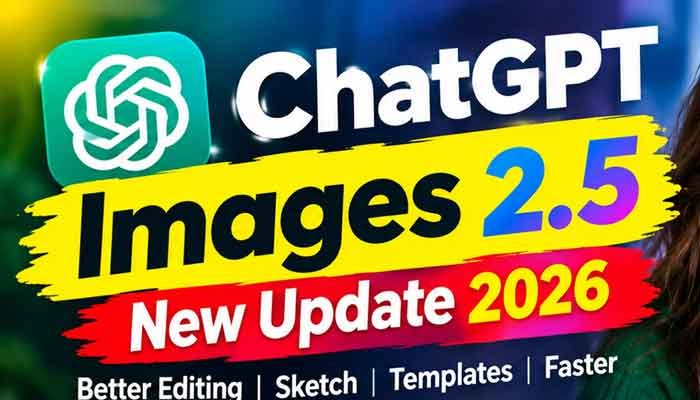
OpenAI has released ChatGPT Images 2.5, a major update to the image-generation experience inside ChatGPT. Instead of focusing only on making images look prettier, the new version puts much more attention on something users actually struggle with: editing an image without ruining everything else.
Released on September 8, 2026, ChatGPT Images 2.5 brings sharper details, more natural-looking lighting and textures, stronger reference-image preservation, faster generation and more reliable editing across multiple prompts. OpenAI says generation latency can be reduced by up to 50% compared with Images 2.0.
There are also new creative tools, including Sketch, templates for common designs, image comments and easier prompt sharing.
So, what is actually different about the new model, and is ChatGPT Images 2.5 useful for everyday creators?
Let’s take a closer look.
Read Also This : Best ChatGPT Alternatives for Beginners in 2026: Top AI Tools Like ChatGPT
What Is ChatGPT Images 2.5?
ChatGPT Images 2.5 is OpenAI’s latest image-generation and image-editing system available through ChatGPT. It is designed not only to create images from text prompts but also to modify existing images while keeping important details intact.
Users can create an image from a simple description, upload an existing photo and request changes, or use a rough sketch as a visual starting point.
OpenAI says Images 2.5 is available across ChatGPT on web, iOS and Android, with access available across ChatGPT tiers. Images with thinking are available on Plus, Pro and Business, with Enterprise and Edu availability described as coming soon by OpenAI’s Help Center.
The biggest change is that the model is becoming more useful as an editing tool, rather than simply an image generator.
ChatGPT Images 2.5: What’s New?
The update introduces several changes that are particularly useful for people who create social media graphics, thumbnails, product images, posters and marketing visuals.
1. Better Reference Image Consistency
One of the most noticeable improvements is the way Images 2.5 handles reference images.
If you upload a photograph and ask ChatGPT to change the setting, clothing, style or composition, the model is better at preserving the important characteristics of the original subject.
This is useful for creators who need several images based on the same person, product or visual identity.
For example, you could provide a product photograph and ask for:
- A different background
- A studio-style product shot
- A social media advertisement
- A seasonal version
- A lifestyle scene
- A different visual style
OpenAI says Images 2.5 is better at preserving recognizable features, natural lighting and textures when working from reference photos.
That makes the model particularly interesting for content creators, marketers and e-commerce sellers.
2. More Precise Image Editing
Image editing has traditionally been one of the frustrating parts of AI image generation.
You might ask an AI tool to change one object, only to discover that the background, person’s face or overall composition also changed.
ChatGPT Images 2.5 is designed to reduce that problem.
OpenAI says the model is better at changing the specific element requested while preserving the surrounding composition.
For example, you can start with a product advertisement and ask:
Change the background from white to a dark studio background, but keep the product, text and composition unchanged.
You can then make another edit without necessarily having to regenerate the entire image from scratch.
That makes multi-step editing one of the most important improvements in ChatGPT Images 2.5.
3. Multi-Turn Editing Works Better
The real advantage appears when an image needs several changes.
Imagine creating a YouTube thumbnail:
- Generate the original thumbnail.
- Change the person’s shirt.
- Replace the background.
- Adjust the lighting.
- Add a headline.
- Move an object to the left.
- Change the overall style.
With older image-generation workflows, repeated changes could gradually cause unwanted modifications.
Images 2.5 is designed to maintain more of the previous context between edits. OpenAI specifically highlights improved consistency across multiple editing turns.
It is not perfect, however. Complex images can still experience small changes in lighting, background details or positioning.
4. ChatGPT Images 2.5 Gets a New Sketch Feature
One of the most interesting additions is Sketch.
Instead of explaining an idea entirely through text, users can draw a rough version directly inside ChatGPT and use that drawing as a reference.
You do not need to be a professional artist.
A quick sketch showing the position of a person, building, product or object can give the model additional visual information about what you want.
OpenAI says users can access the feature by typing @Sketch in ChatGPT.
For example, you could roughly draw:
- A room layout
- A product arrangement
- A character pose
- A poster composition
- A landscape
- A logo concept
Then describe the visual style you want.
The model can use the sketch as a guide and turn the rough drawing into a more polished image.
5. Templates Make Image Creation Easier
Not everyone wants to start with a completely blank prompt.
ChatGPT Images 2.5 introduces templates for common creative formats, including things such as posters and merch